
How to Install and Activate the Post / Page Duplicate by Icegram Plugin
Quick start guide to setting up Icegram Express, creating your first subscriber list, and sending emails.
This plugin helps you instantly duplicate any post, page, or custom post type in WordPress with a single click. It’s a time-saving tool for editors, developers, and content creators — perfect for reusing layouts or templates without starting from scratch.
Steps to Install & Activate the Plugin:
-
Log in to your WordPress Admin Dashboard.
-
Go to
Plugins > Add New. -
Search for Post/Page Duplicate by Icegram.
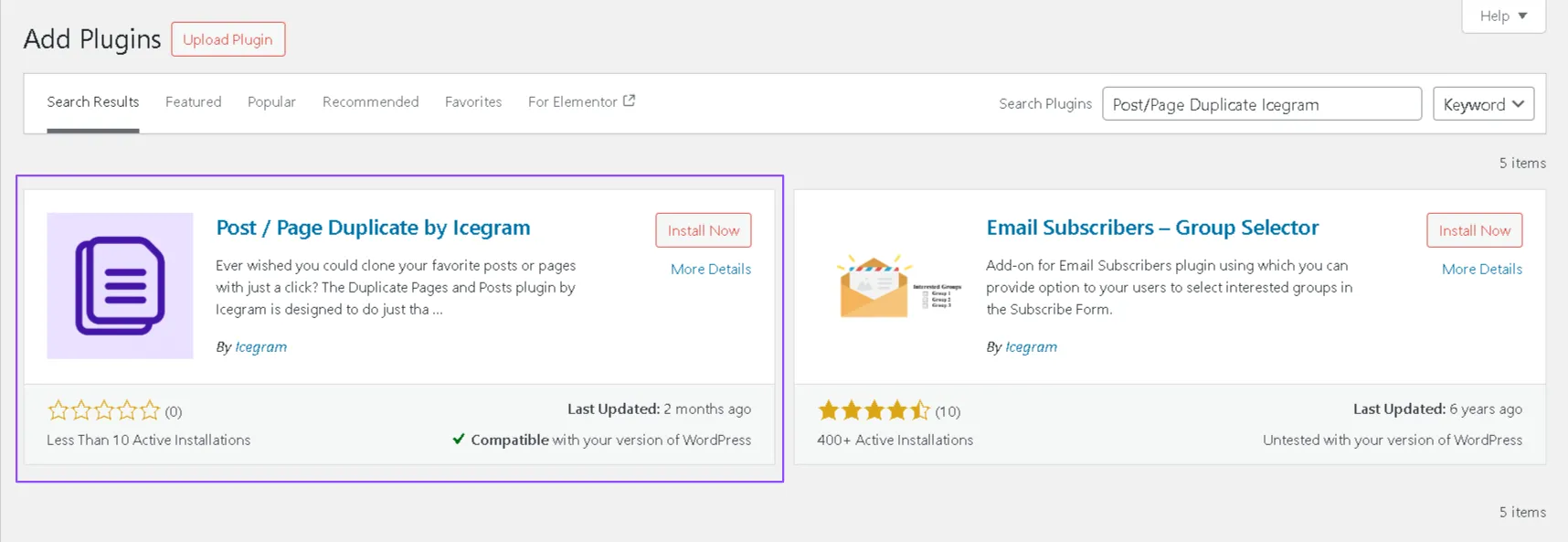
- Click
Install Now, then clickActivateonce the installation is complete

How to Use and Configure the Post / Page Duplicate by Icegram Plugin
Once installed and activated, Post / Page Duplicate by Icegram is ready to use — no complex setup required. You can quickly duplicate posts, pages, or custom post types right from your dashboard. Steps to Use the Plugin:
-
Go to your WordPress Dashboard.
-
Navigate to
Posts > All Posts or Pages— depending on what you want to duplicate. -
Hover over the post or page you want to duplicate.
-
Click on the
Duplicatebutton that appears. A new draft will be created with the same content and title as the original.
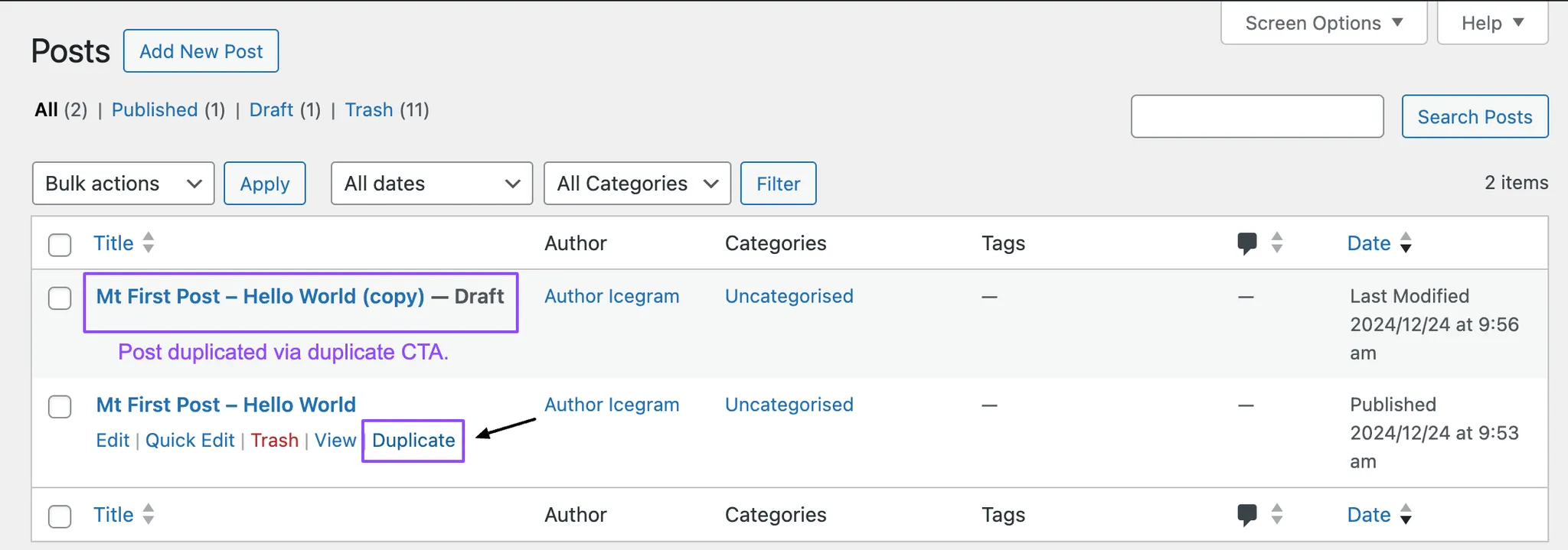
- Open the duplicate draft, make any edits you like, and click
Publishwhen you're ready.
That’s it — fast, simple, and efficient!