
How to customize Icegram's Engage Gallery Templates
Customize Icegram’s Gallery Templates in easy steps. Here is the complete tutorial on how to customize Icegram's Gallery Templates.
Icegram's Engage Gallery tries to cover as many use cases as possible. However, we also acknowledge that there’s no size that fits all. So here's a detailed walkthrough on how you can personalize Icegram Engage Gallery Templates to fit your needs.
Customizing the background
Suppose you want to add your own image as a the background image in place of the default one. Follow these steps:
- Go to the Custom Code section in the Campaign Editing panel.
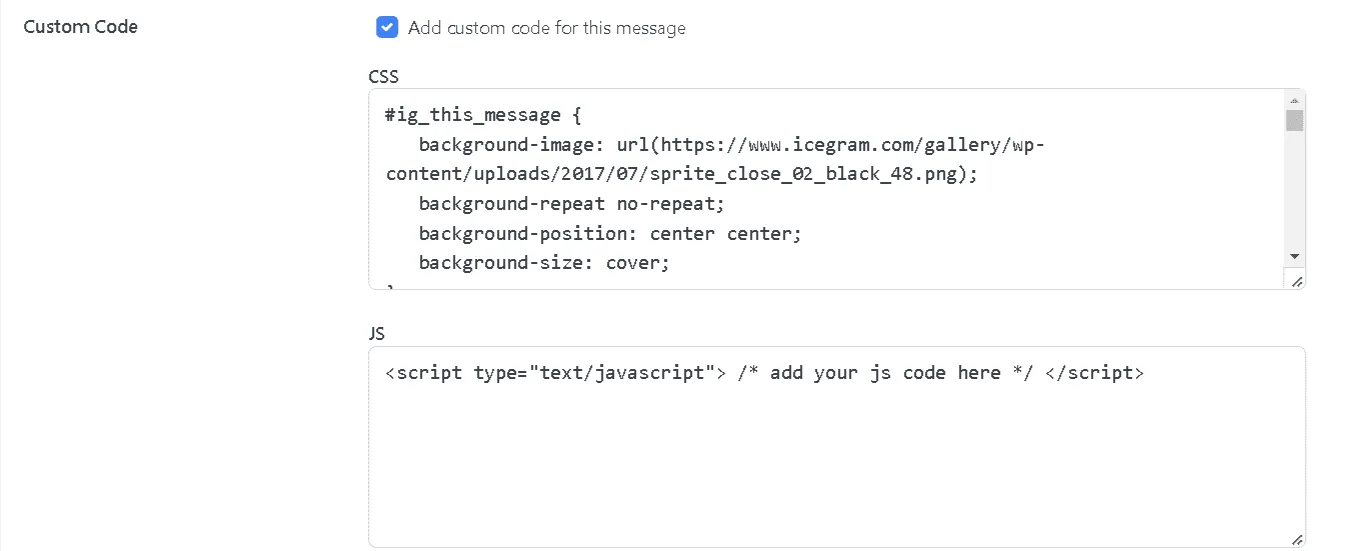
-
Locate the class #ig_this_message
-
Search for the parameter 'background-image'
-
Replace the URL mentioned in there to the URL of the background image of your choice
-
Hit Save and Preview
Alternatively, you could also modify other parameters like;
-
Background-size.
-
Background-position.
-
Background-repeat.
Customizing the font
The next thing, you might want to change is the font of the Gallery item. Here’s how you should proceed:
-
Change the WP Editor mode from visual to text.
-
Identify the class applied to the text you want to modify.
For example: The text mode looks something like this; Since 1987 - Trusted By Bike Enthusiasts All Over The World Become A Member Of The World's Elite Bike Gang
-
Locate the class in the Custom CSS section
-
Change the parameters you wish to modify
-
Hit save and publish
How to get the Google Font code?
-
Go to Google fonts
-
Select the Font you like
-
Click on the + sign next to the font
-
Open the Family Selected tab
-
Copy paste the link (refer to the image) in a new tab
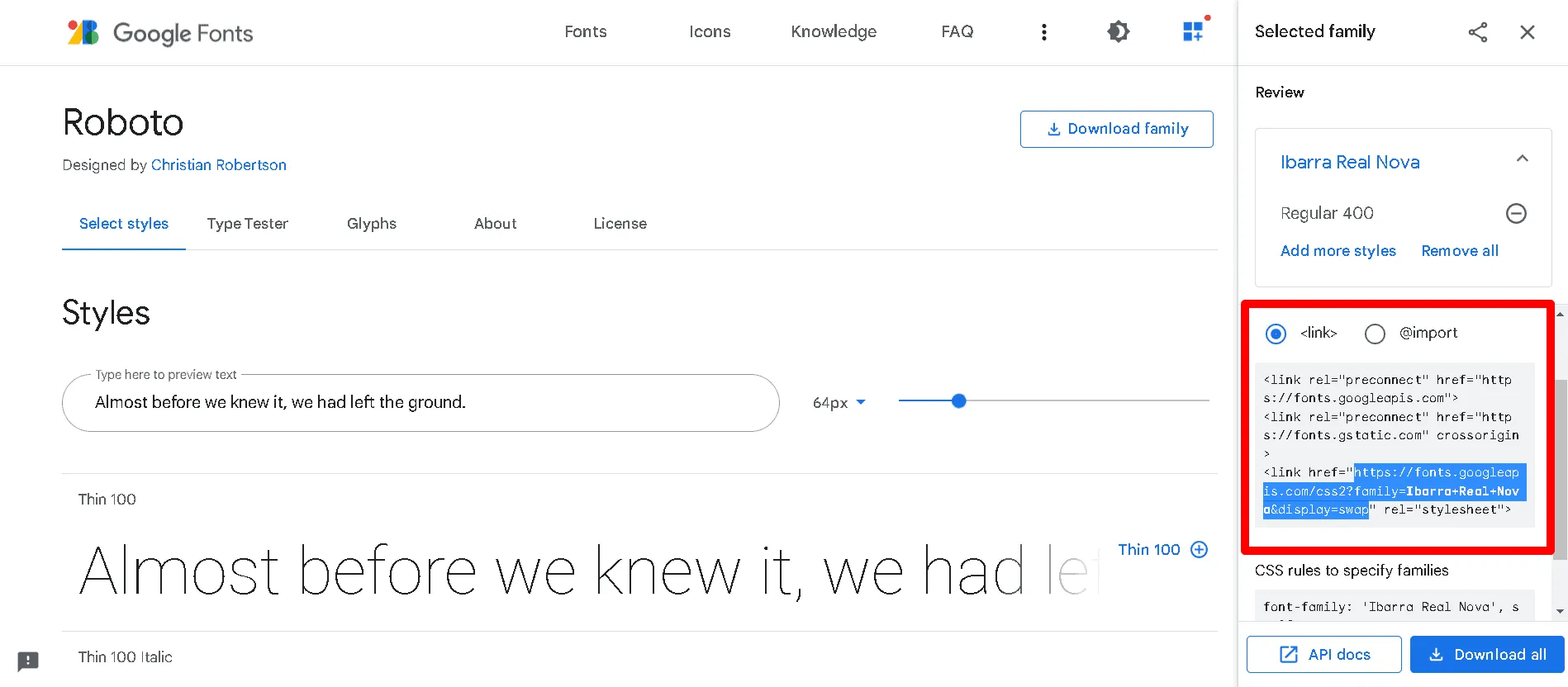
- You will get the entire code
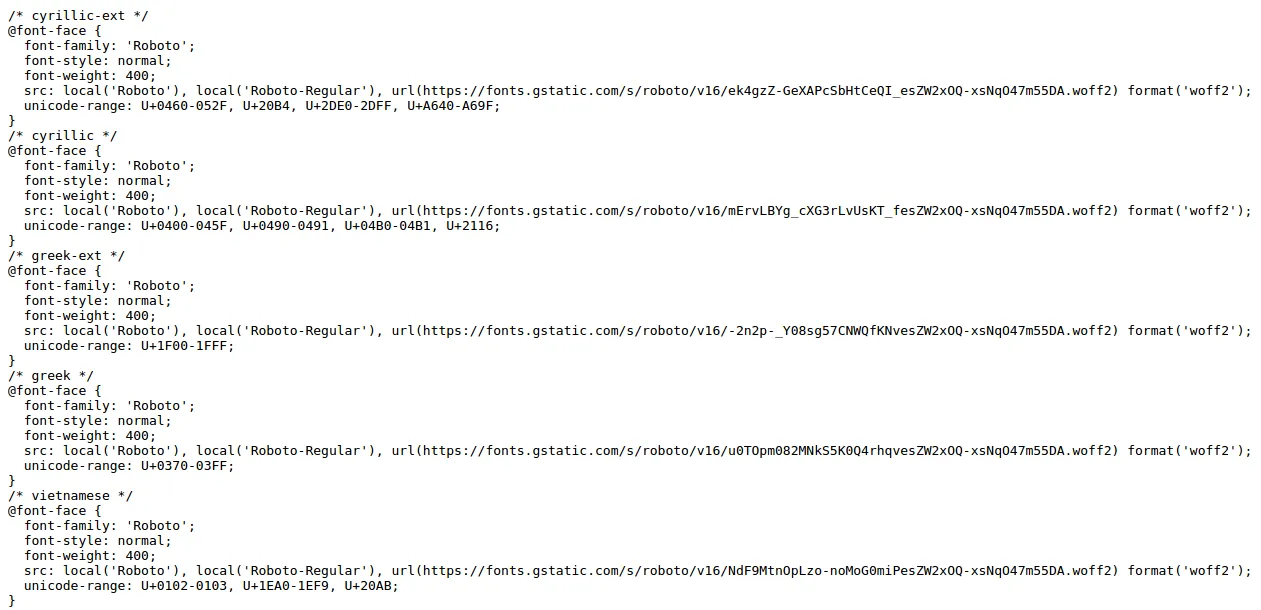
- Copy paste this code in the Custom CSS section
Customizing the close button
You can also style the button in the Gallery items. Here’s how:
-
Go to the Custom CSS section
-
Locate the class #ig_this_message .ig_close If you have a close button image embed it in the background-image URL Also if you want to use the default ones, simply change the value of background-position: Xpx center
-
Save and publish the campaign