
How to make Icegram Engage work on Non WordPress Websites
Icegram can work on non WordPress websites like Joomla, Magento, Drupal, etc. You need to avail Icegram Engage Max plan for this.
Steps:
Step 1: Install and Activate the Icegram Engage Max on WordPress Website. This WordPress website is your host. It will be used to control the Icegram messages targeted on the non WordPress websites.
Step 2: Create your Icegram Engage campaign on your host WordPress website.
Step 3: Fill in the message content.
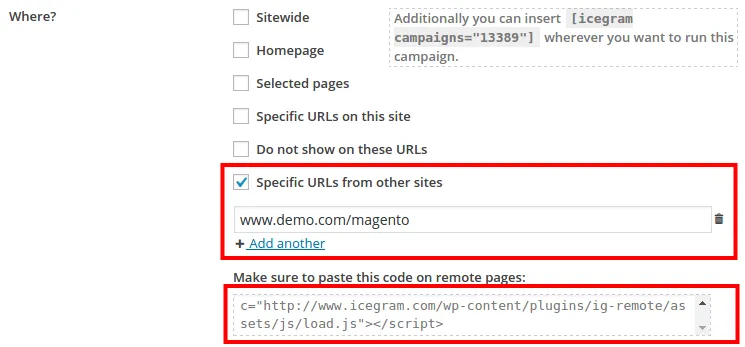
Step 4: go to the “Display Rules”, go to the "WHERE" condition and select the "Specific URLs from other sites". Enter the URL of the non WordPress website here.
Step 5: Copy paste the js code from the Icegram Engage campaign onto the non WordPress website where you want the campaign to show up.
Step 6: Save campaign and click to preview.