How can I allow other users having specific roles to access a particular Icegram Express feature?
Grant specific Icegram Express administrative privileges and access permissions to custom WordPress user roles.
Steps to set permissions:
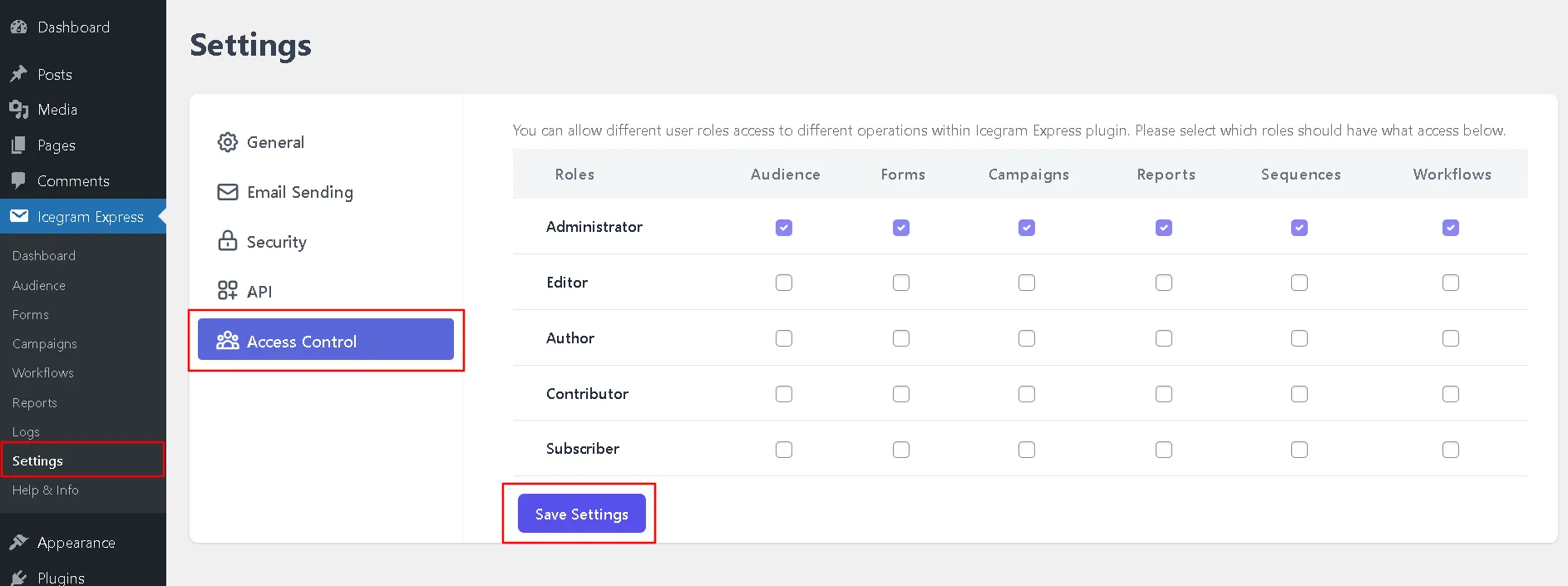
- Navigate to WordPress Dashboard > Icegram Express > Settings > Access control.
- You'll see each role listed along with each menu.
- Check the box next to the role in the menu column to assign permissions. Checked menus will be available for that role.
- Save the updated settings.