
How to change image size of a featured image of the post in the post notification {{POSTIMAGE}} ?
Change the thumbnail image dimensions and display size for featured post images in notification emails.
Post images in the post notifications are set to thumbnails by default. Administrators can set up a default size for images added inside post notifications. For that,
-
Login to your WordPress website
-
Navigate to
Icegram Express>Settings>General -
Look for Image Size and select the size you wish to setup from the dropdown
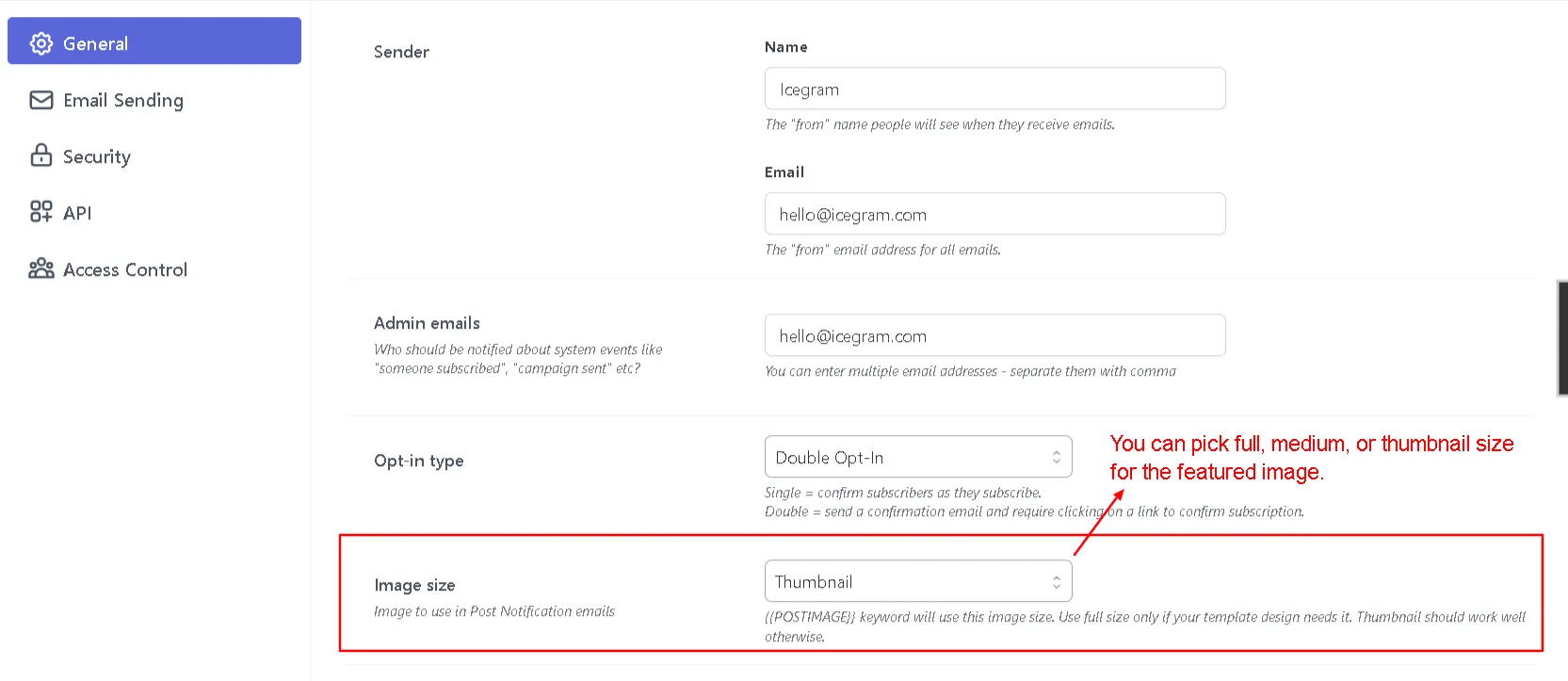
- Click Save Settings