
How do I customize Confirmation Email in Icegram Express?
Customize the double opt-in confirmation email subject line, content, and verification link in Icegram Express.
Administrator can edit and customize Confirmation Email. For that,
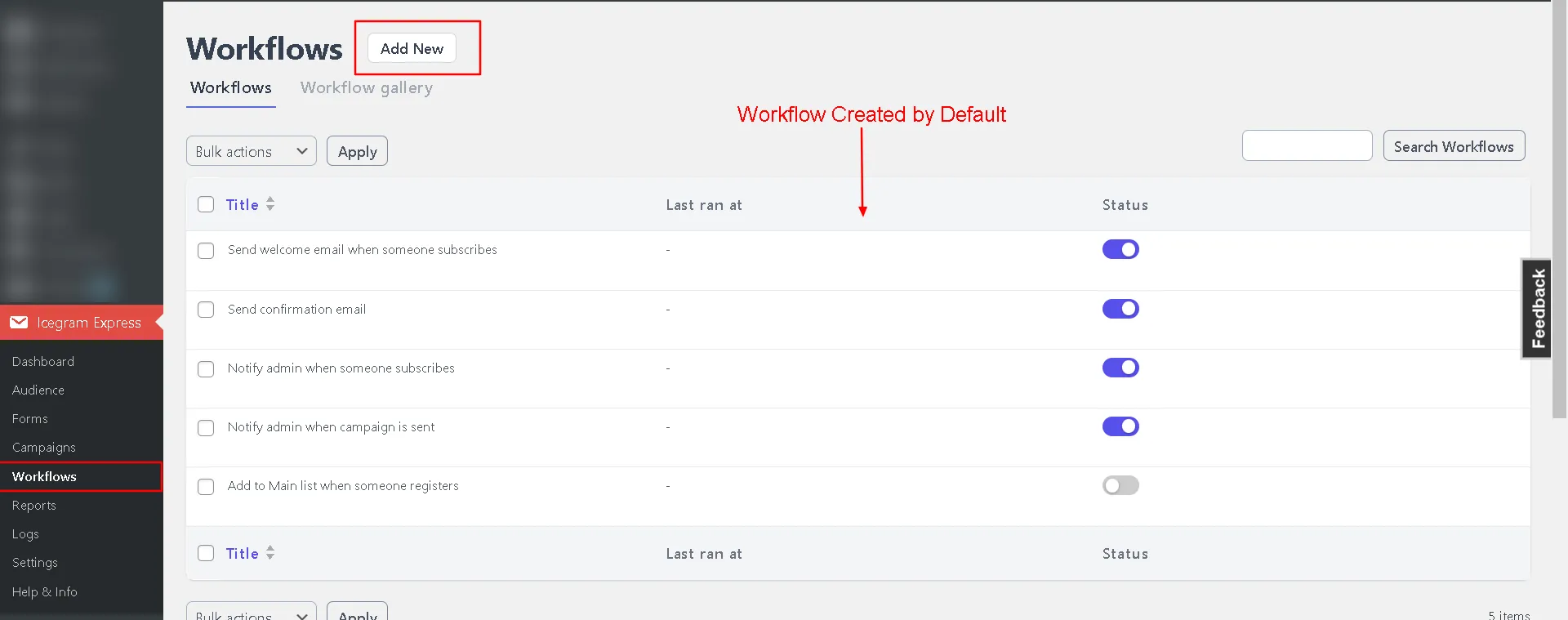
Step 1: Navigate to Icegram Express → Workflow.
Step 2: Add a new workflow or use an existing one like Send confirmation email.
Step 3: Enter your preferred Subject and Content for the email.
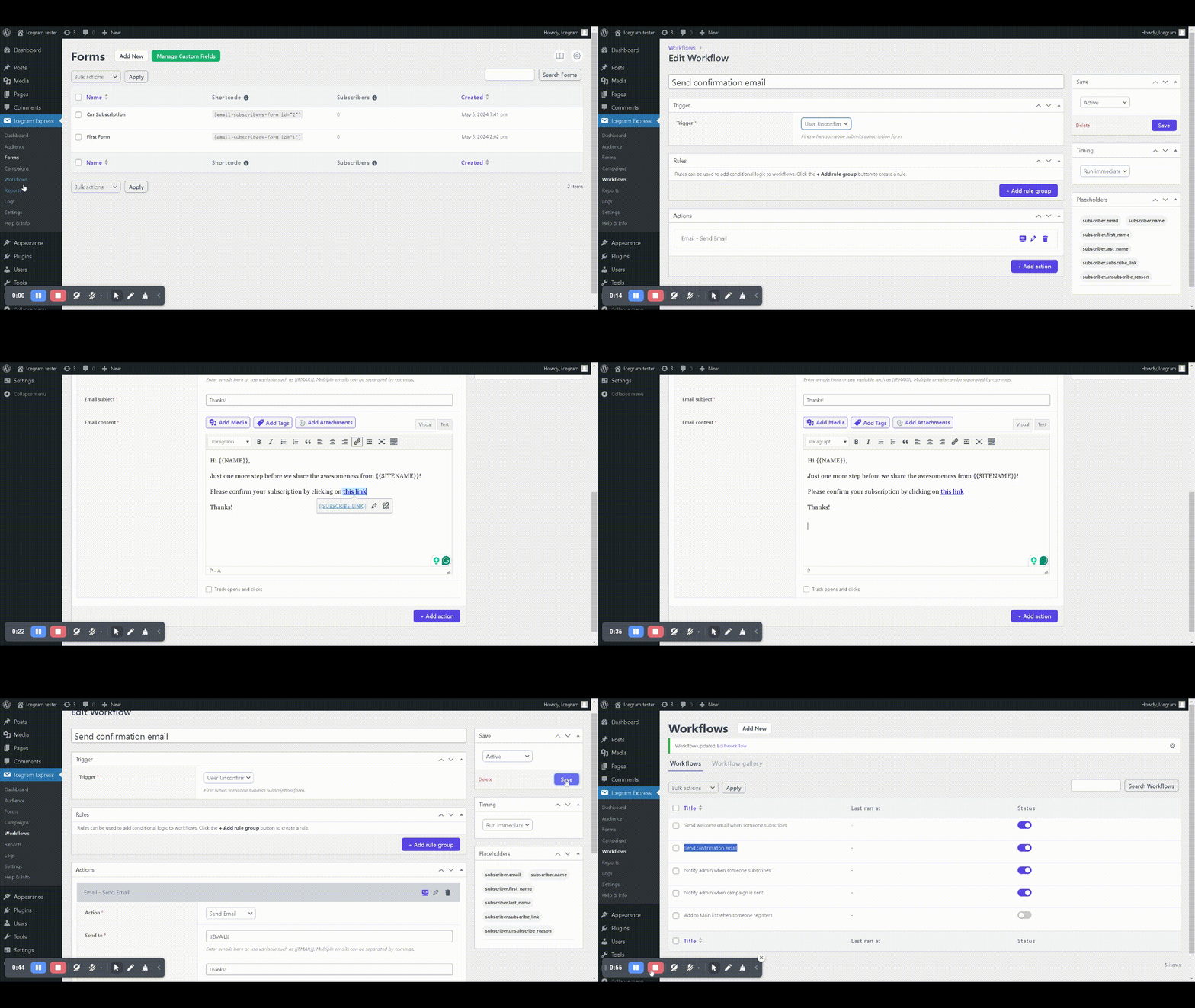
Step 4: Click Active & Save