
How do I enable Captcha?
Enable CAPTCHA verification on Icegram Express forms to prevent automated spam bot submissions.
CAPTCHA or Completely Automated Public Turing test to Tell Computers and Humans Apart is a technique to distinguish between humans and computers. CAPTCHA is mainly used as a security check to ensure only human users can pass through. Generally, computers or bots are not capable of solving a captcha.
Steps to enable Captcha are:
- Navigate to
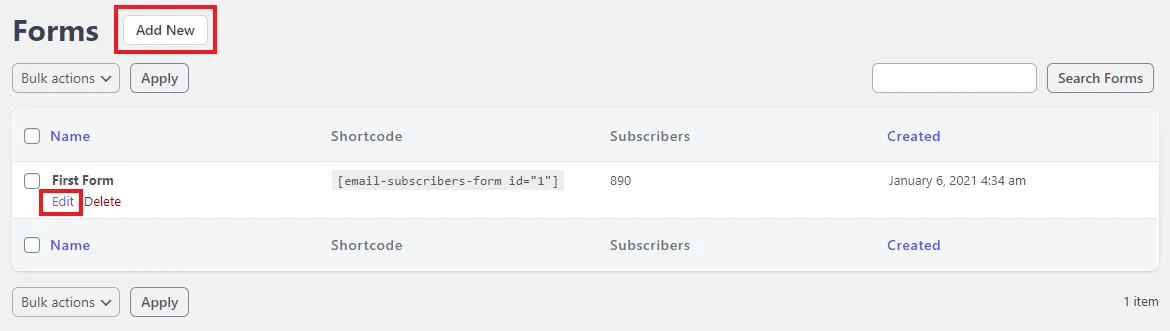
Icegram Express>Formsin the WordPress Admin panel - Open an existing form by clicking on
Editor create a new form
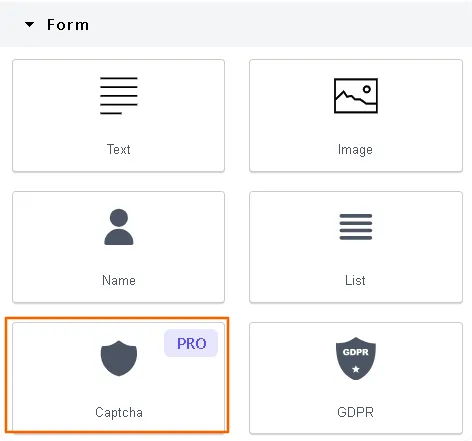
- Drag the
Captcha blockonto the form, then change the font and style however you like.
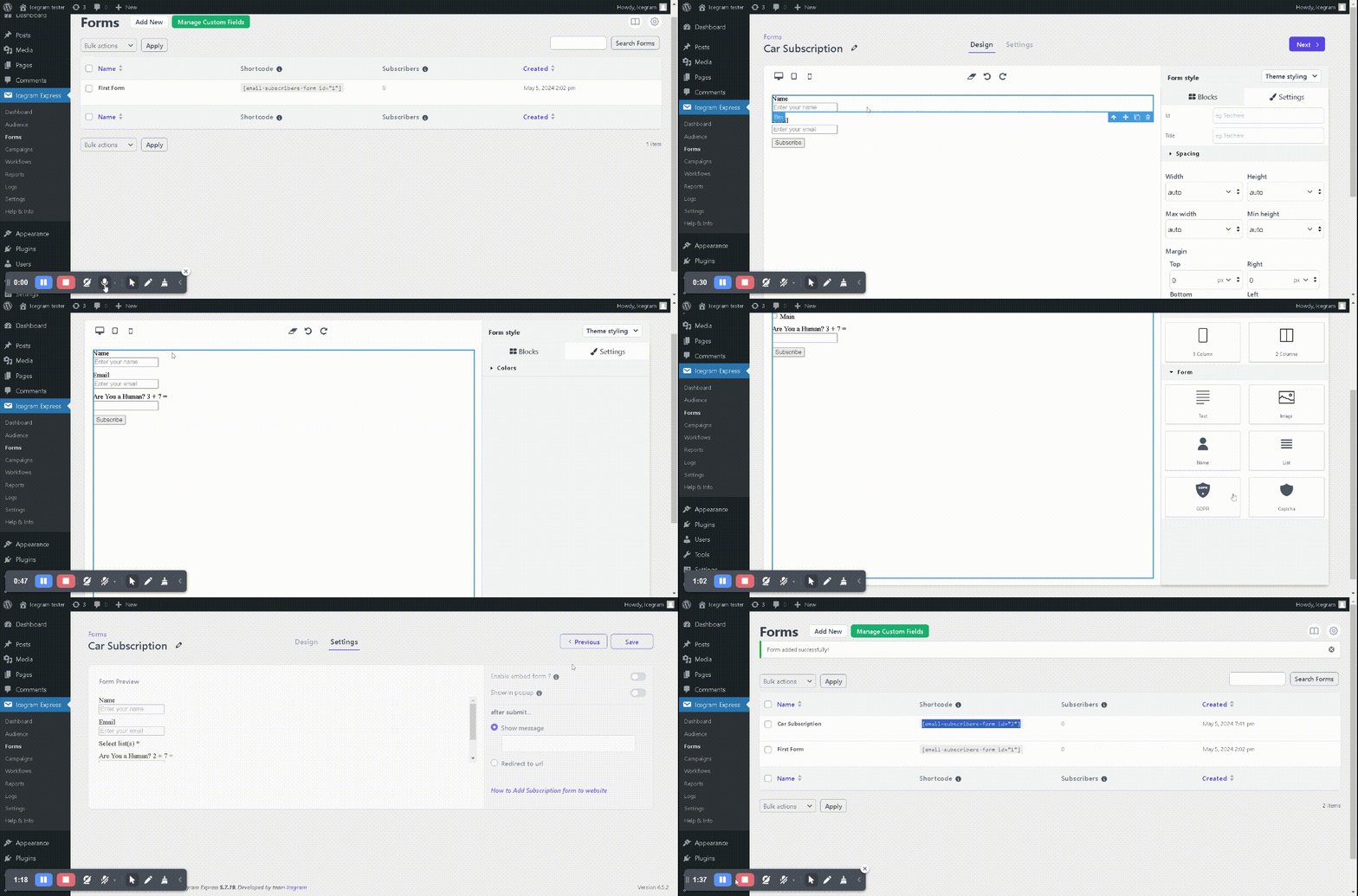
- Click on Next and Save.
Voilà! Captcha is enabled on your subscription form and you will see a decrease in spam registrations. You can further secure the subscription form under Icegram Express > Security.