
How to redirect subscribers after they unsubscribe
You can redirect them to a page where you have listed your products or a sweet welcome message.
Steps to Redirect subscribers after they unsubscribe:
- Go to WordPress
Dashboard>Icegram Express>Settings>General - Scroll down to find Unsubscribe messages
- Select the page for redirection after unsubscribe find Unsubscribe Success/ Error Messages and set the page you want.
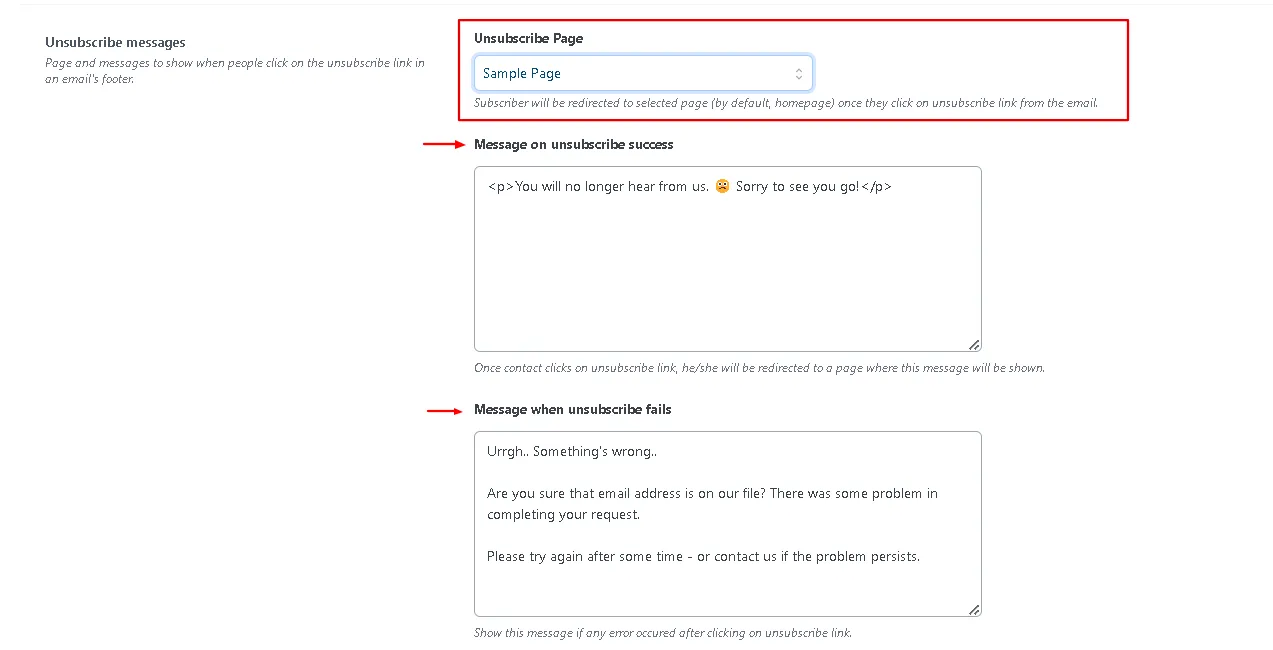
- Save the settings. That’s it!