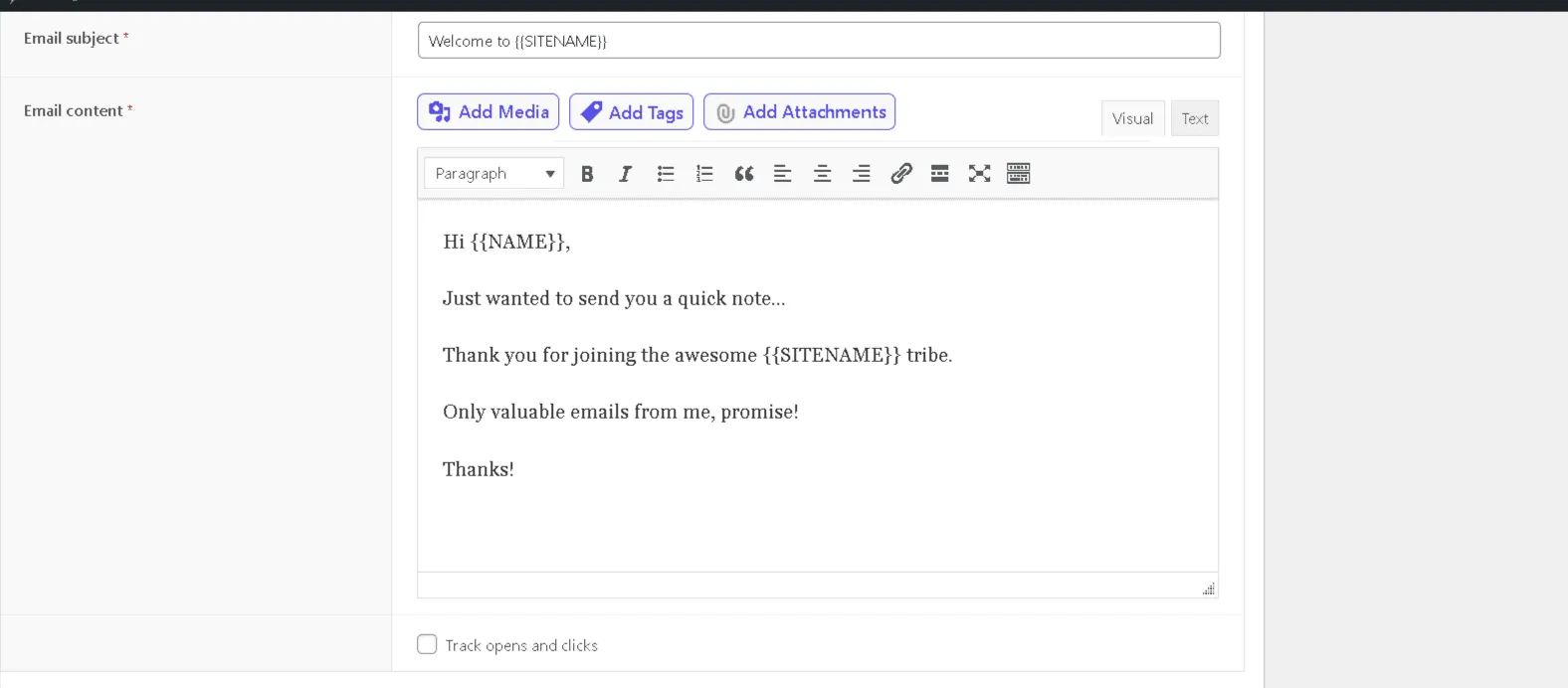
How to setup Welcome Email in Icegram Express
Set up and customize automated welcome emails to greet new subscribers upon joining your list.
A Welcome Email is the first email you send to your new subscribers whenever they sign up for your email marketing. Administrators can edit and customize Welcome Email.
In this article, you'll learn how to setup a welcome email.
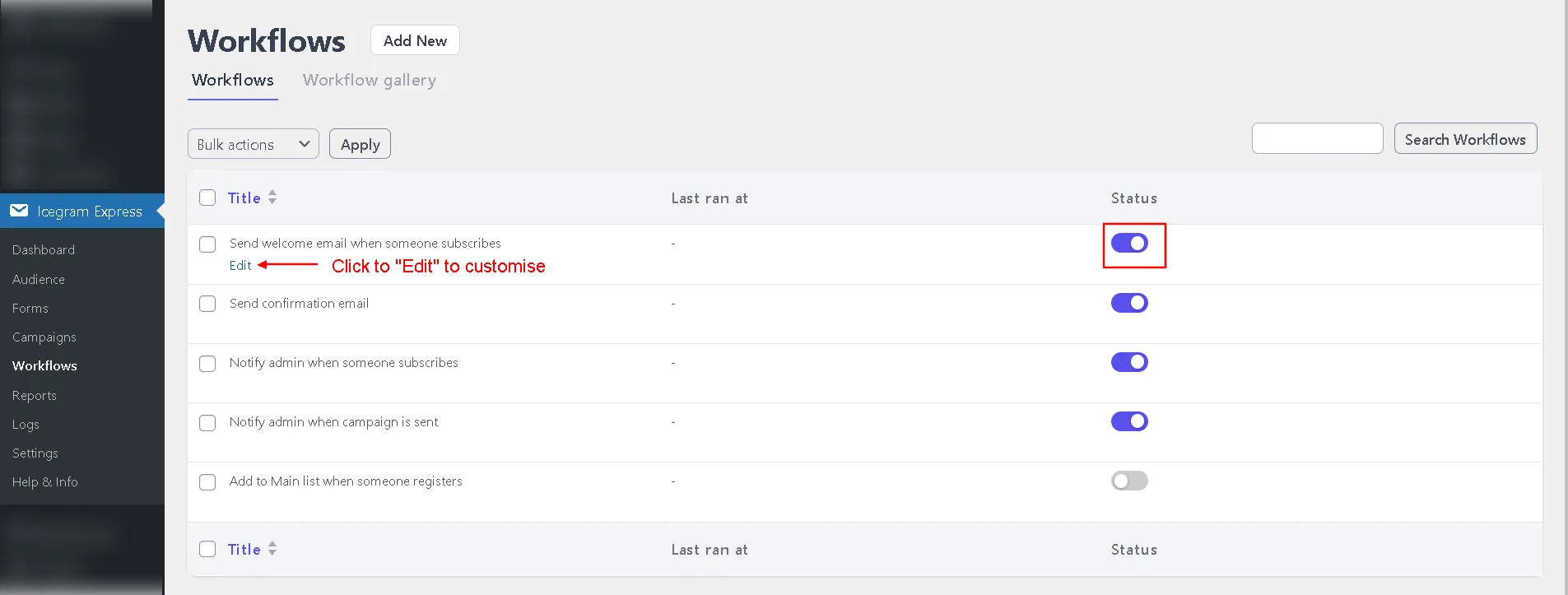
- Login to your WordPress website and go to
Icegram Express>Workflow.
-
In the workflows list, edit the
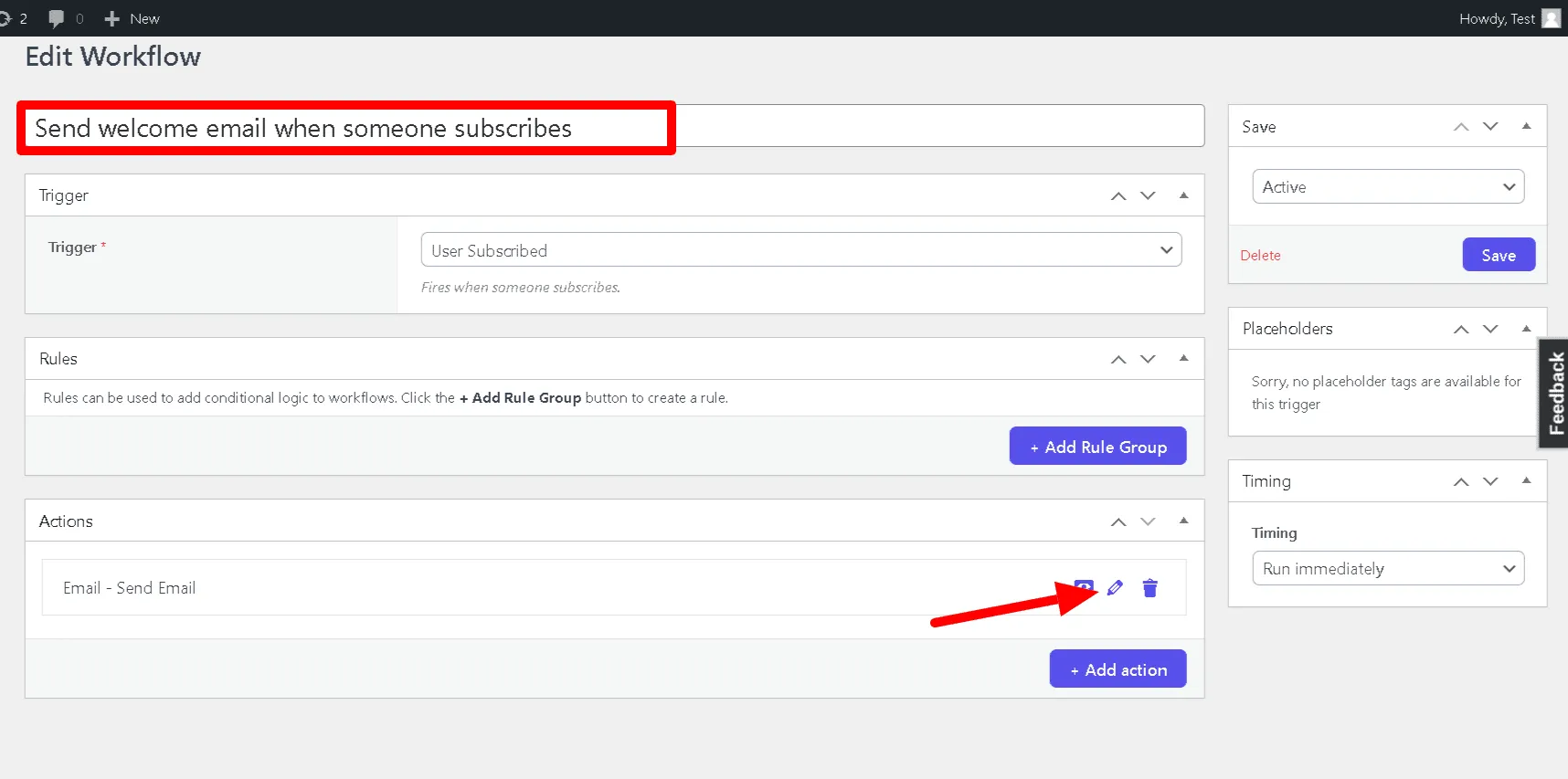
'Send welcome email when someone subscribes' workflow. -
The 'Email Content' field can be found in a dropdown menu under the 'Actions' section.
-
You can insert your welcome email content in this field. You can use the following keywords in order to personalize the email - {{FIRSTNAME}}, {{LASTNAME}}, {{NAME}}, {{EMAIL}}, {{LIST}}, {{SITENAME}}
-
Click
Save Settings