
Introducing Icegram Express Housekeeping Feature
Manage your database storage by automating the deletion of reports older than 1 year.
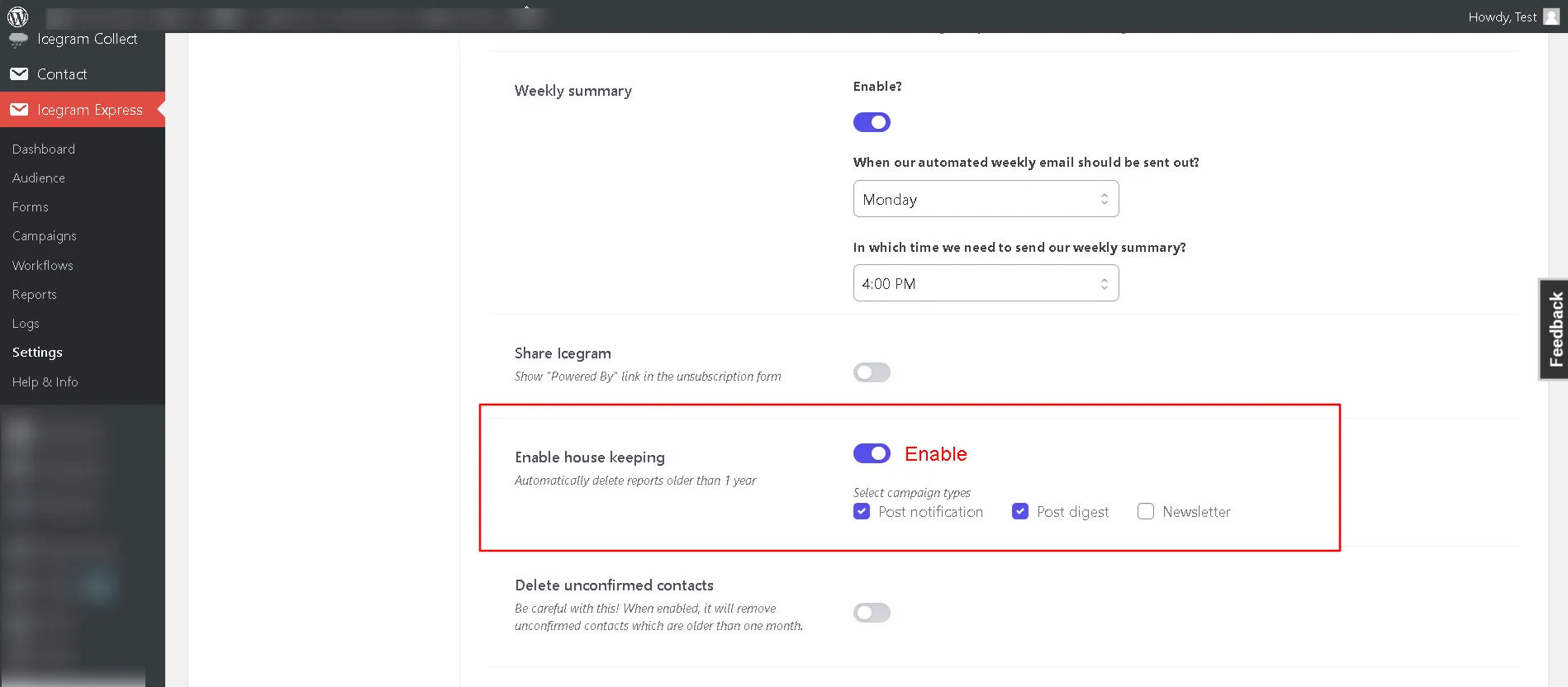
Step 1: Go to Icegram Express > Settings > General.
Step 2: Locate the "Enable housekeeping" option in the General tab.
Step 3: Enable the feature and select the type of campaign report you want to delete. Choose from Post Notifications, Post Digests, and Newsletters.
Step 4: Save your settings.
With this simple setup, Icegram Express will take care of removing outdated data, ensuring a streamlined database and optimized storage. Experience the ease of database management with our Housekeeping Feature!