
How to enable captcha in your Icegram Collect form
Enable Google reCAPTCHA on your Icegram Collect forms to block spam submissions and fake form entries.
Icegram Collect allows to add captcha to forms.
To add a captcha in any Icegram Collect form, follow these steps:
Step 1: Install and Activate Icegram Collect Pro plan
Step 2: Create / Edit a previously created Icegram Collect form.
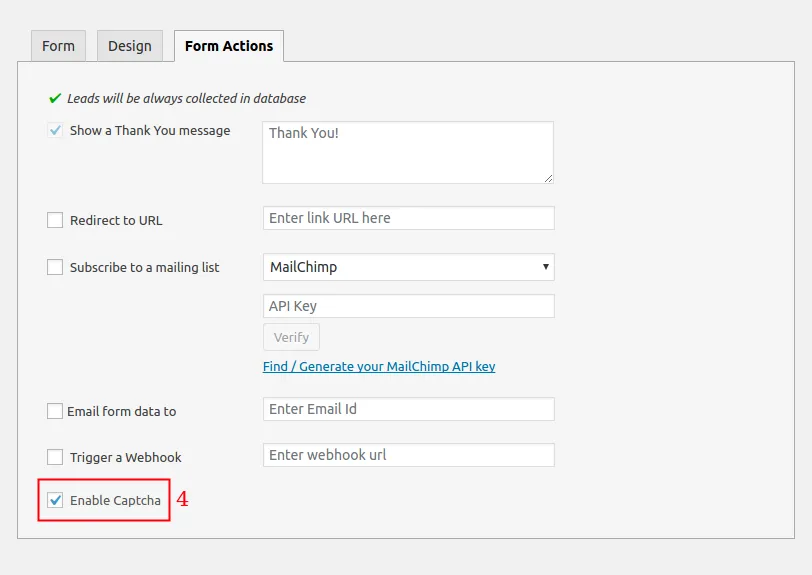
Step 3: Navigate to the “Form Actions” tab.
Step 4: Check the box that says “Enable Captcha“.
Step 5: Go to your website page where Icegram Collect form is targeted.
Step 6: Fill the Icegram Collect form on your website and click the forms CTA button.
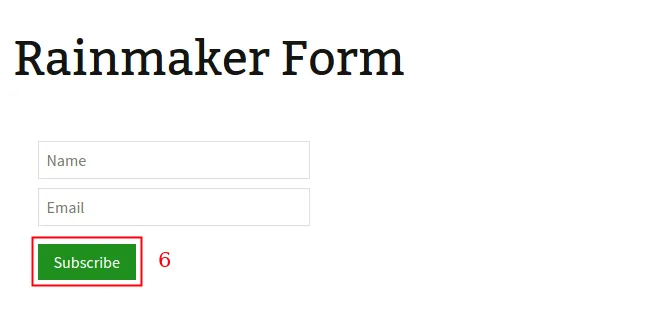
Step 7: Once the button is clicked, the captcha will appear. Answer the captcha and hit verify.

Step 8: Done.