
How to add a Video to an Inline message in Icegram Engage
Adding video in Icegram's Inline messages is very easy. Here are the quick steps how you can do so with clear explanation and screenshots.
To add a video to an Inline message in Icegram Engage:
Step 1: Create a new campaign / Edit a previously created campaign.
Step 2: Create an Inline message / Edit a previously created inline message.
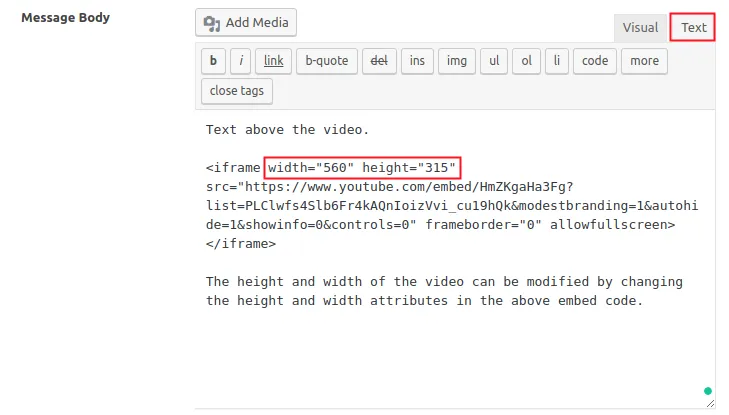
Step 3: In the message body's visual editor, switch to the text editor, paste the video embed code there (all major video streaming sites provide embed codes for sharing videos). If you want to add other text or content, you can add it above or below the video as per requirement.
Step 4: Publish / Update the campaign.