
How to Create Your First Icegram Engage Campaign
Follow this step by step process to create an Icegram campaign on your WordPress website.
Step 1: Login to your WordPress Admin.
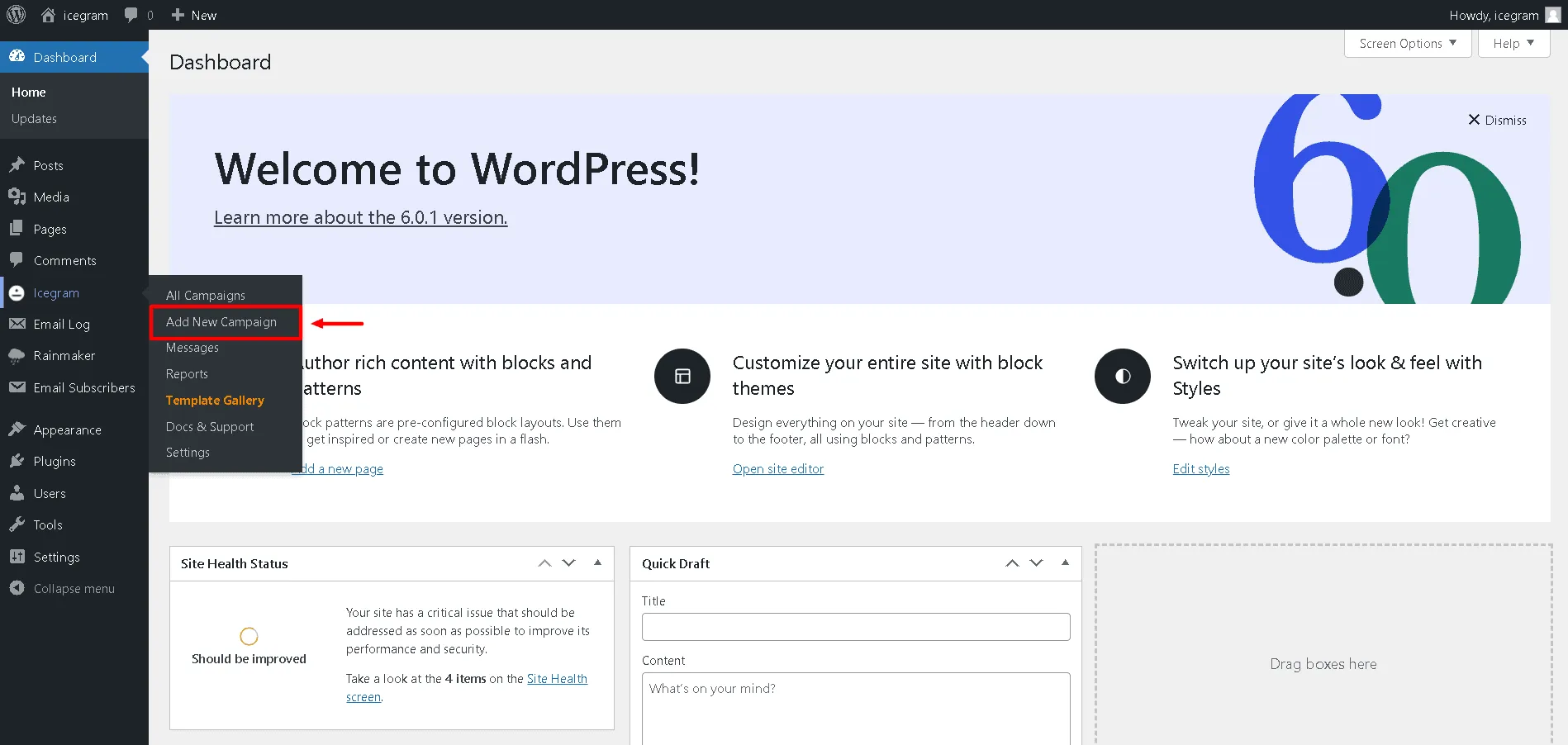
Step 2: Go to the Icegram Engage option that you see on the dashboard. Click to 'Add New Campaign'.
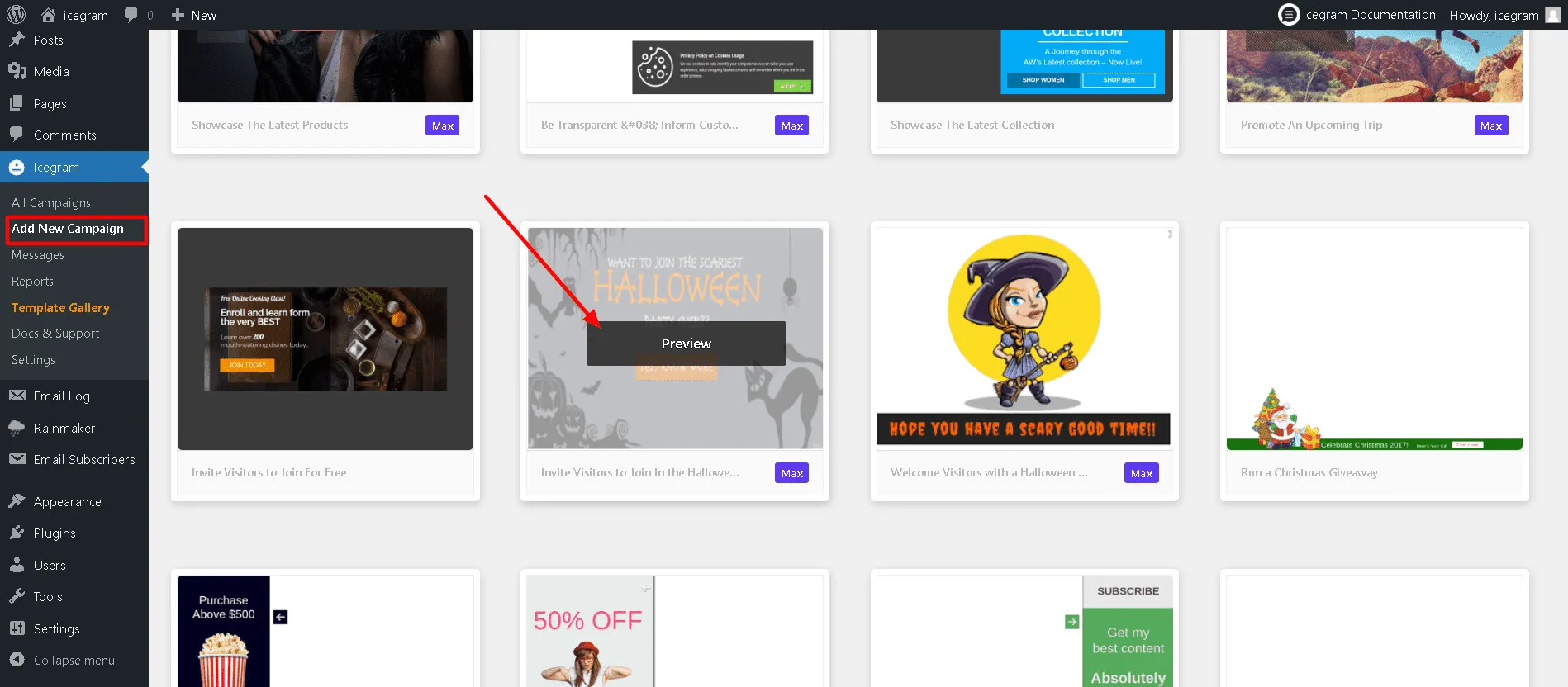
Step 3: Choose a readymade template and 'Preview' it.
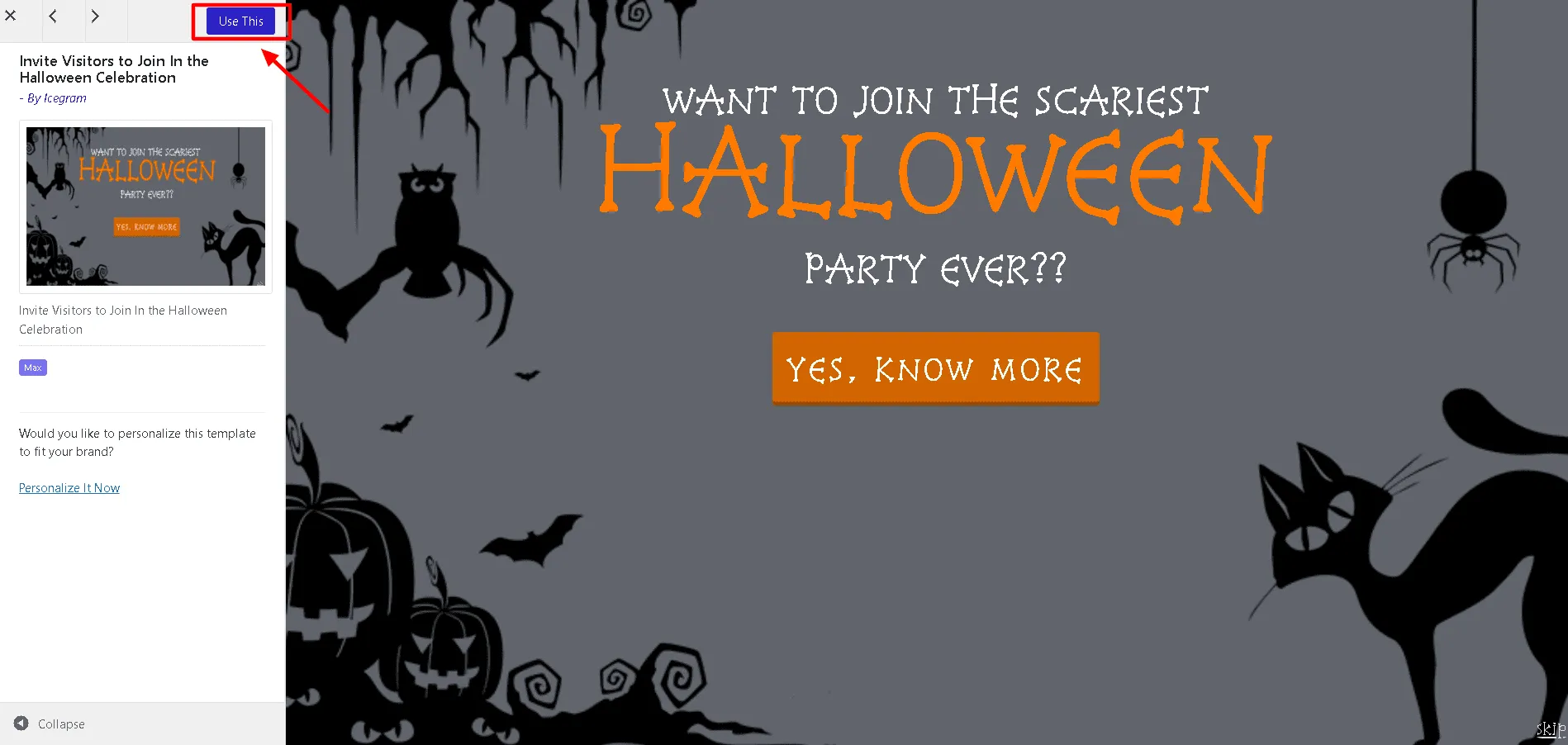
Step 4: Click 'Use This' Gallery Item.
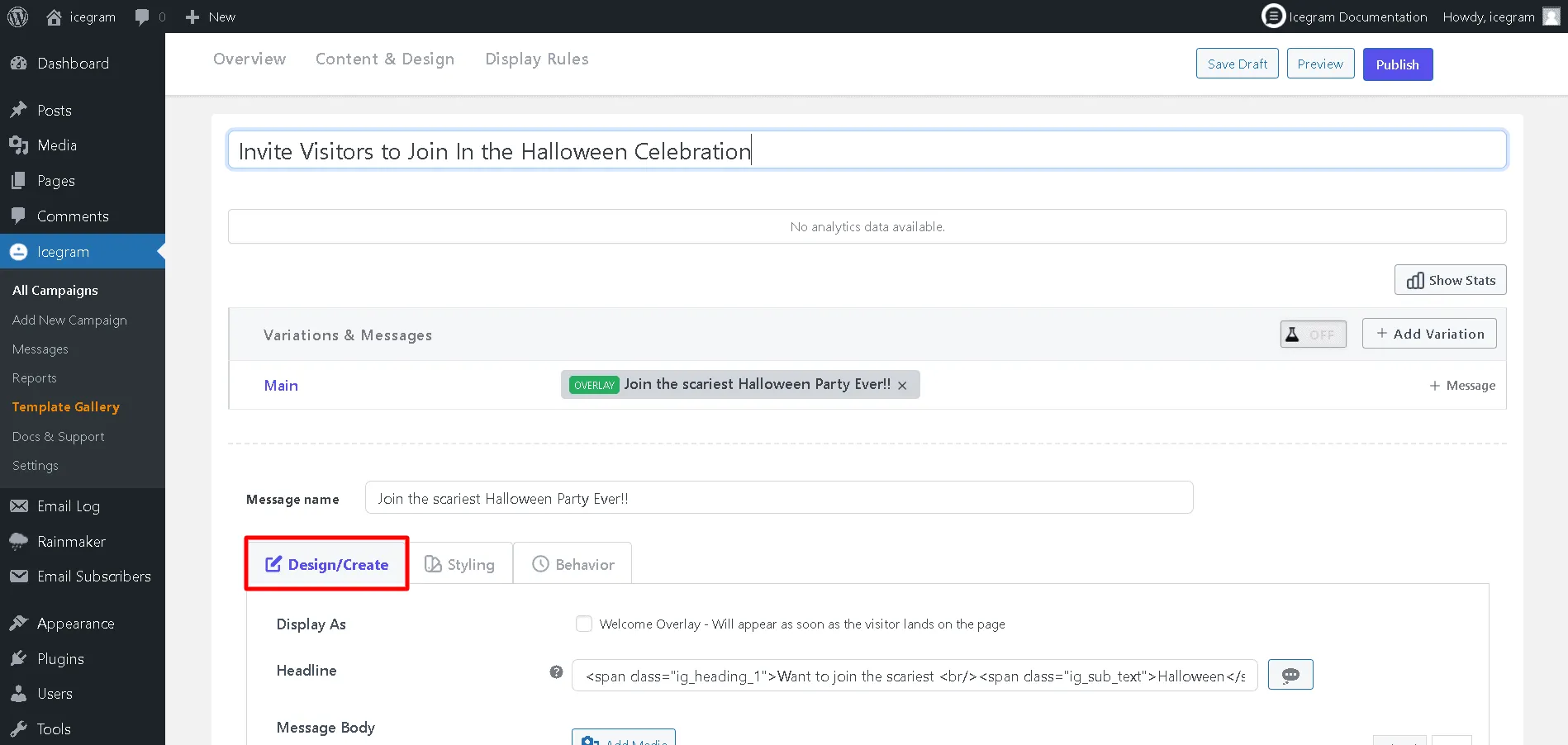
Step 5: Add or Edit the 'Design/Create' content
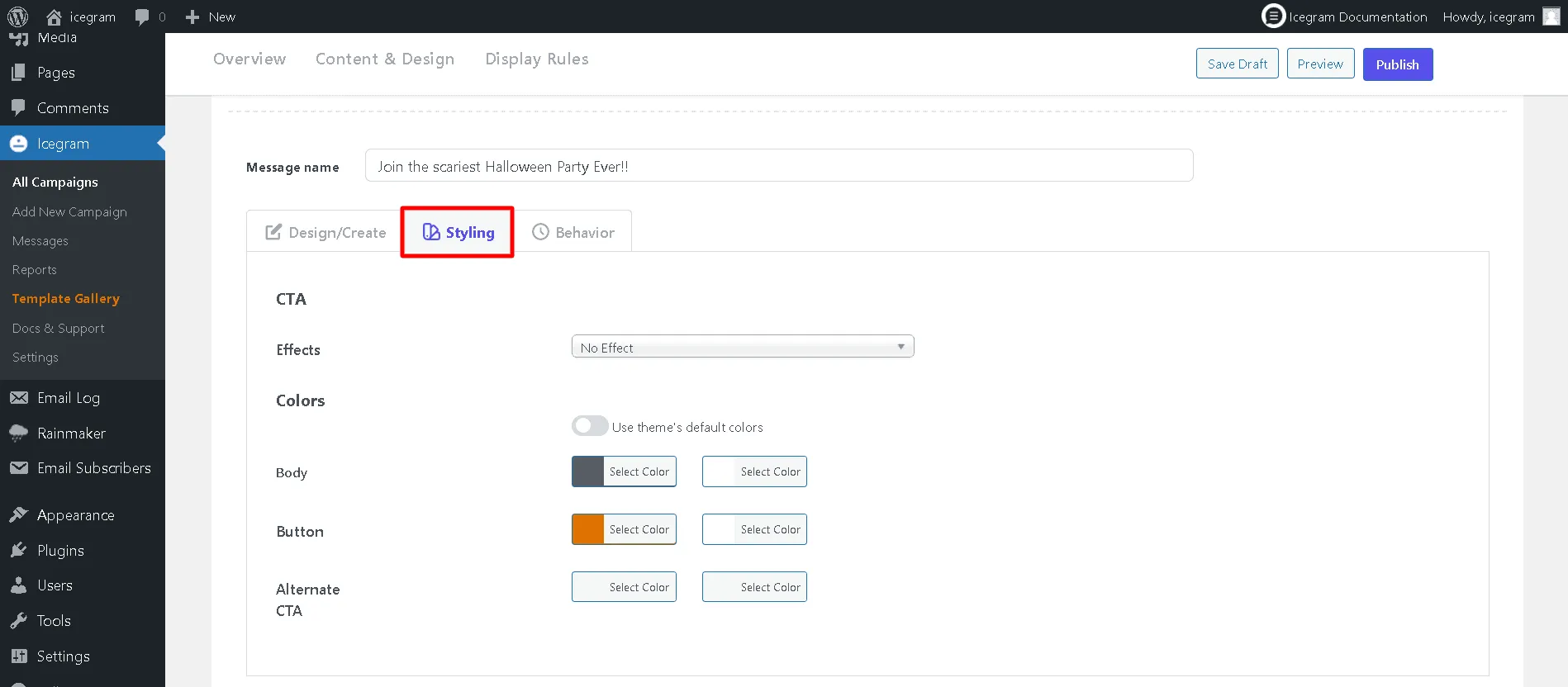
Step 6: Configure the 'Styling'.
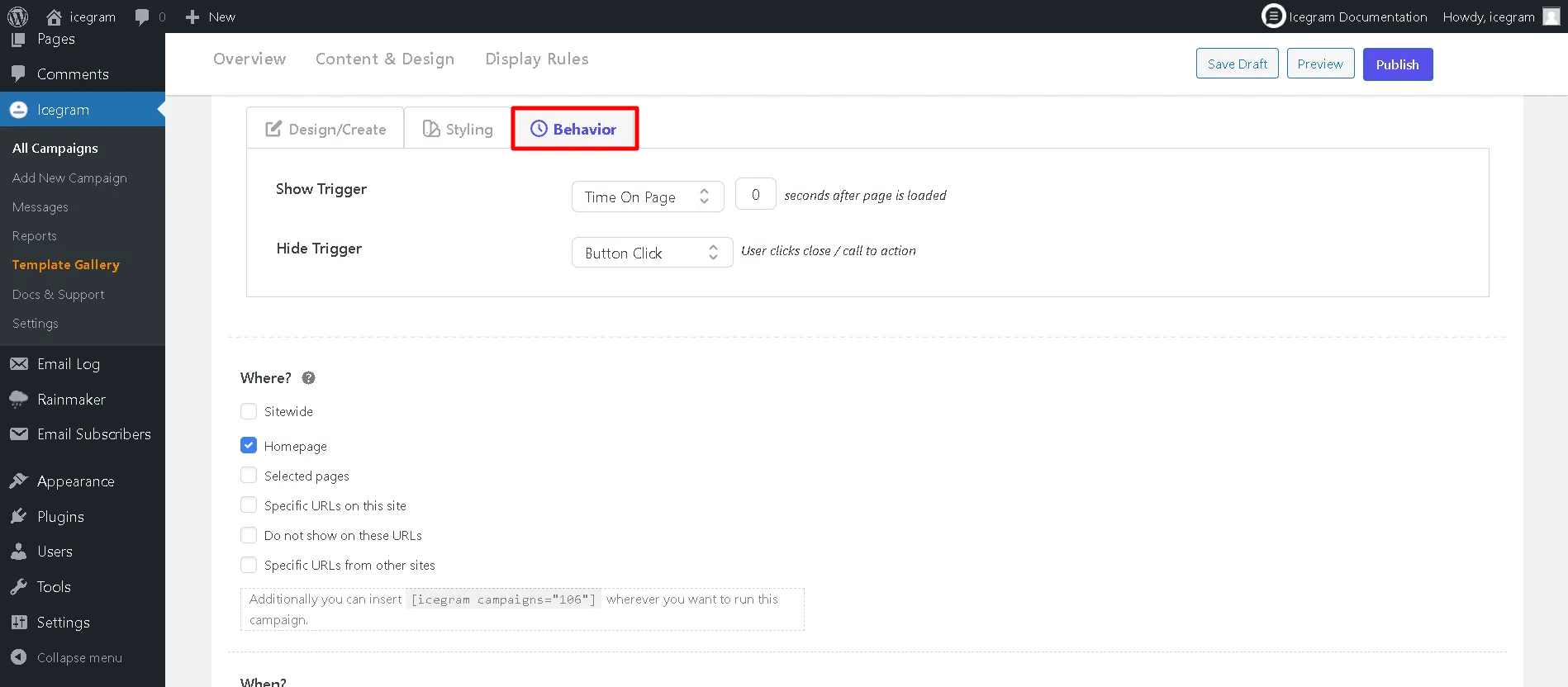
Step 7: Configure the display rules ('Behavior').
Step 8: Save. Click preview. If your popup looks good, hit publish.