
How to duplicate an Icegram Engage campaign
Clone an existing Icegram Engage campaign with all its messages and targeting rules intact.
Icegram Engage provides a super-simple way to completely duplicate your campaigns and create an exact replica as a draft.
To duplicate your Icegram Engage campaign, follow these steps:
Step 1: Go to Icegram Engage Dashboard, where you see all your campaigns listed.
Step 2: Hover over a campaign's name that you want to Duplicate.
Step 3: From the links that appear below on hovering, click on Duplicate.
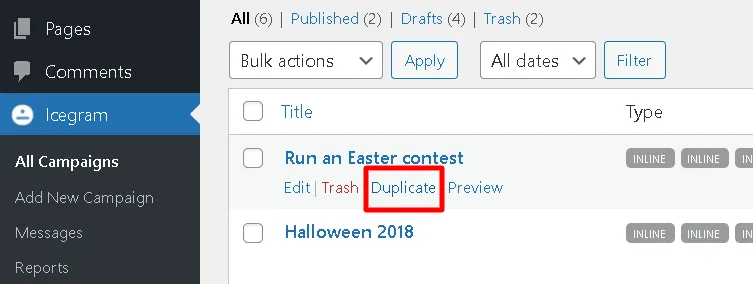
On clicking Duplicate, Icegram will create a draft of your existing campaign and enter into the edit mode. You can make further changes and save as draft / publish it.
Read how to duplicate messages here.