
How to create an Inline message in Icegram Engage?
How to create an Inline message in Icegram? If you want to create an inline message in Icegram, here is the solution for you.
To create an Inline message, follow these steps:
Step 1: Install and activate Icegram Engage Pro.
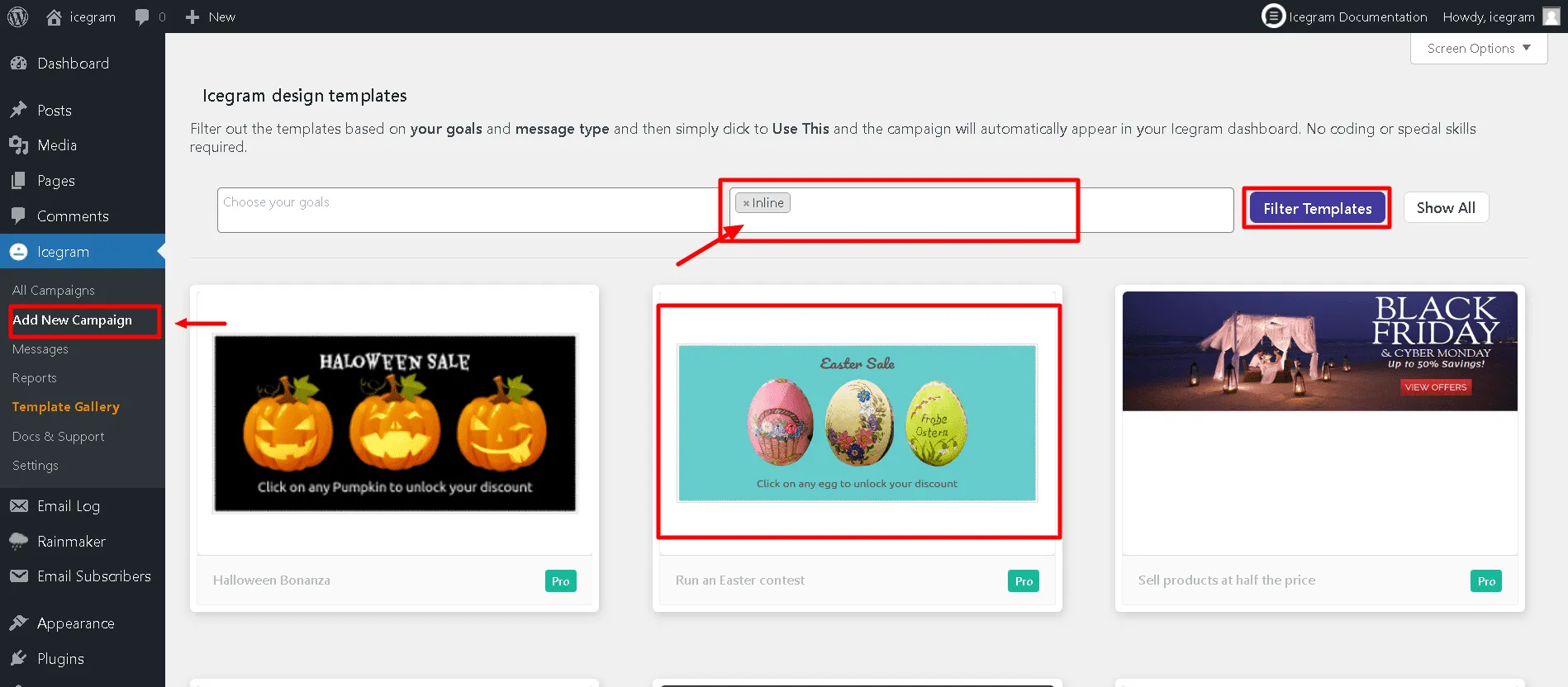
Step 2: Select Icegram from your WordPress dashboard. Click 'Add New Campaign'.
Step 3: Select Message type as Inline and Click on Filter.
Step 4: Choose a readymade template and preview it.
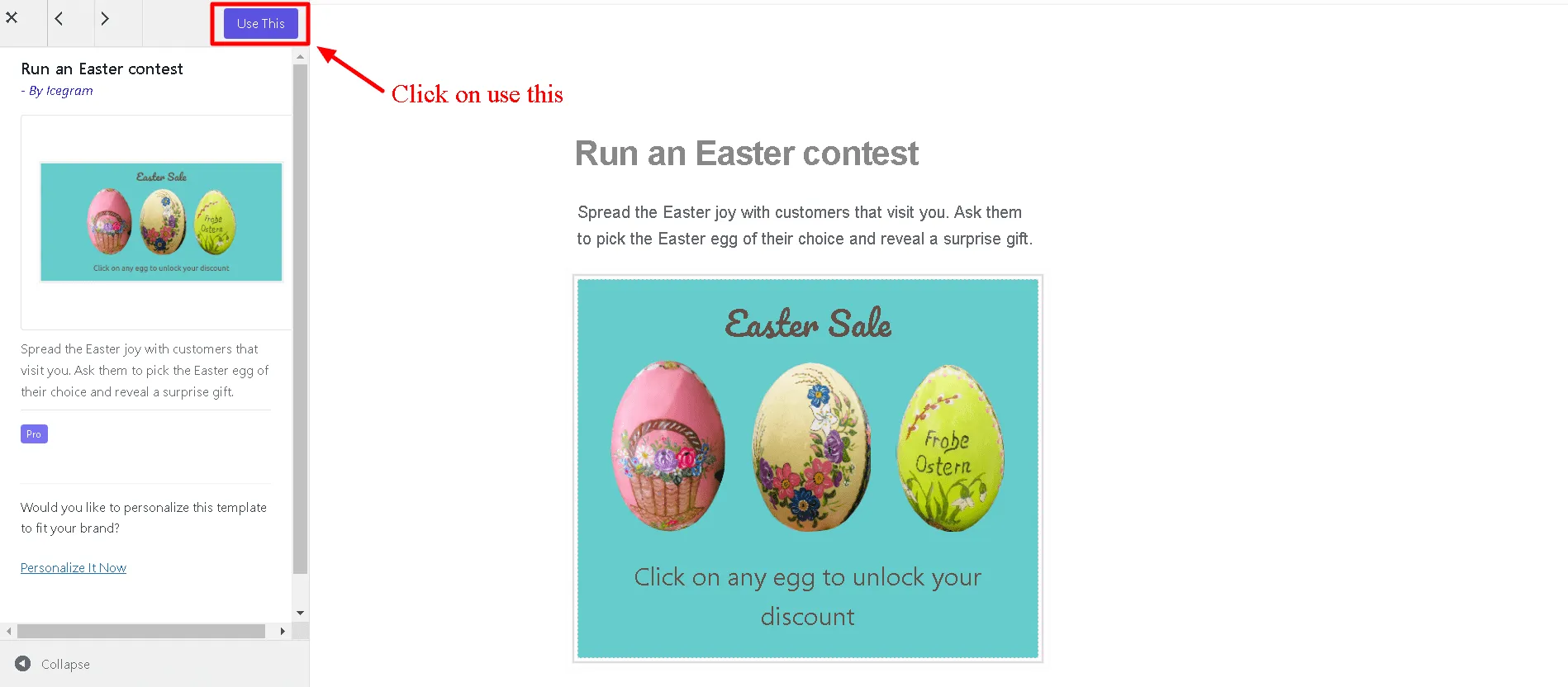
Step 5: Click ‘Use This’ gallery item.
Step 6: Add or Edit the message content.
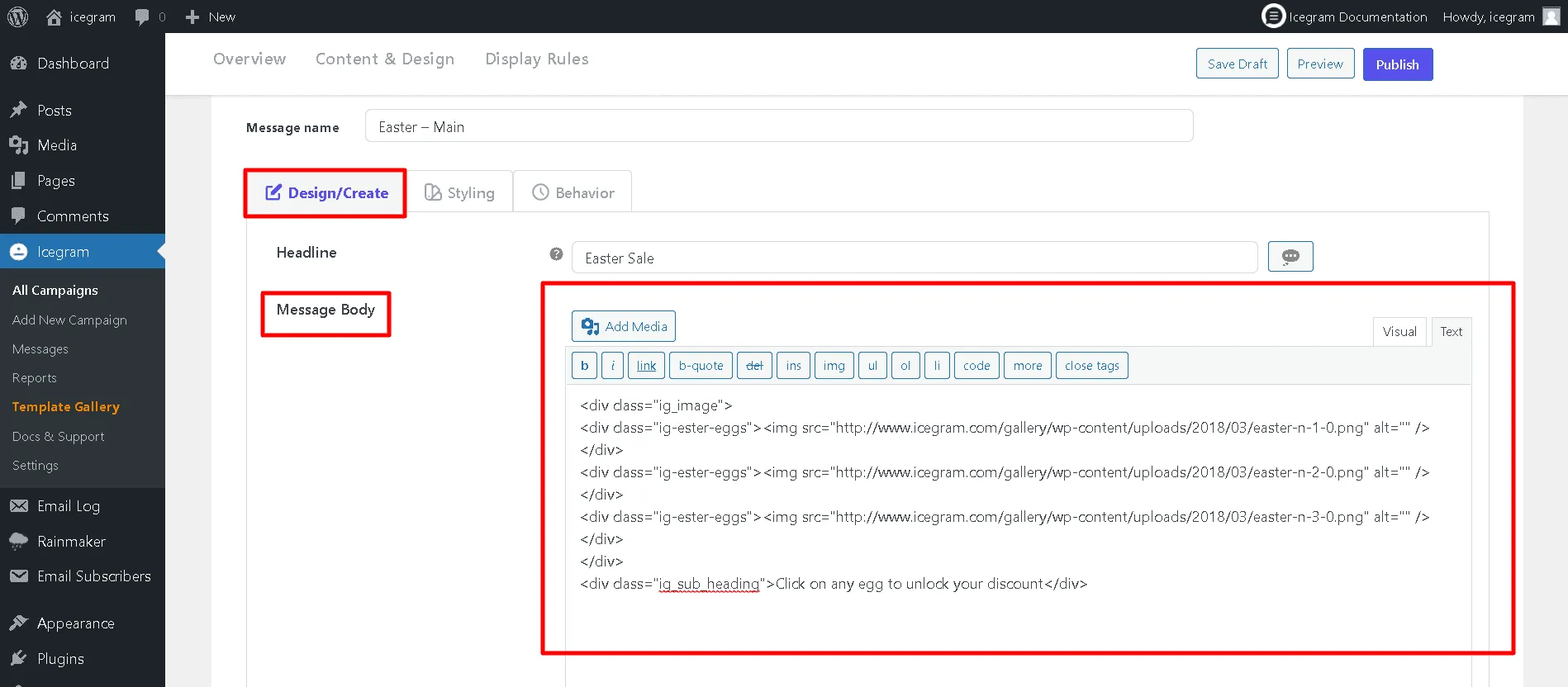
Step 7: Fill in other details like Button action and Form.
Step 8: Select Position to display the Inline message.
Step 9: Set Trigger as to when/how to show the Inline message.
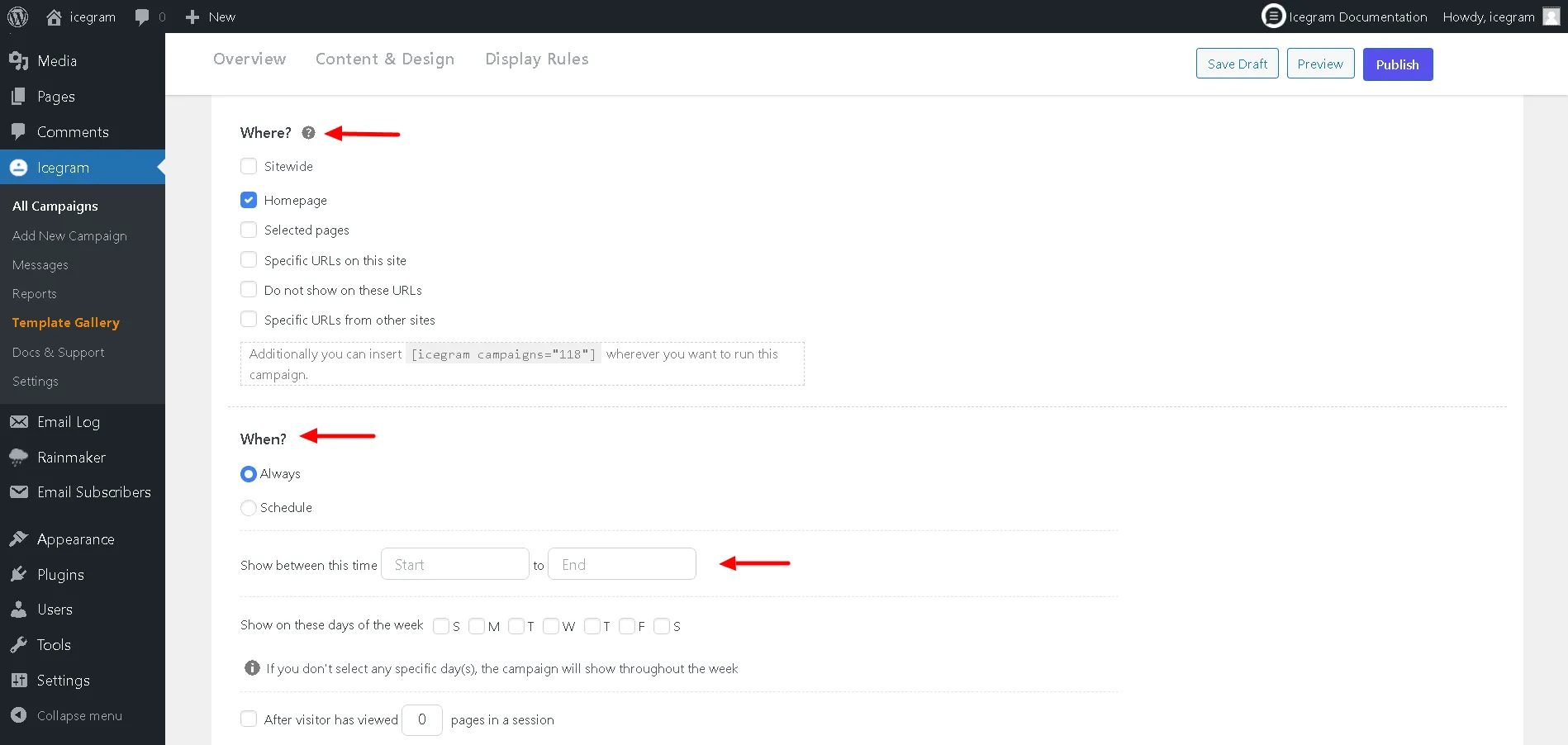
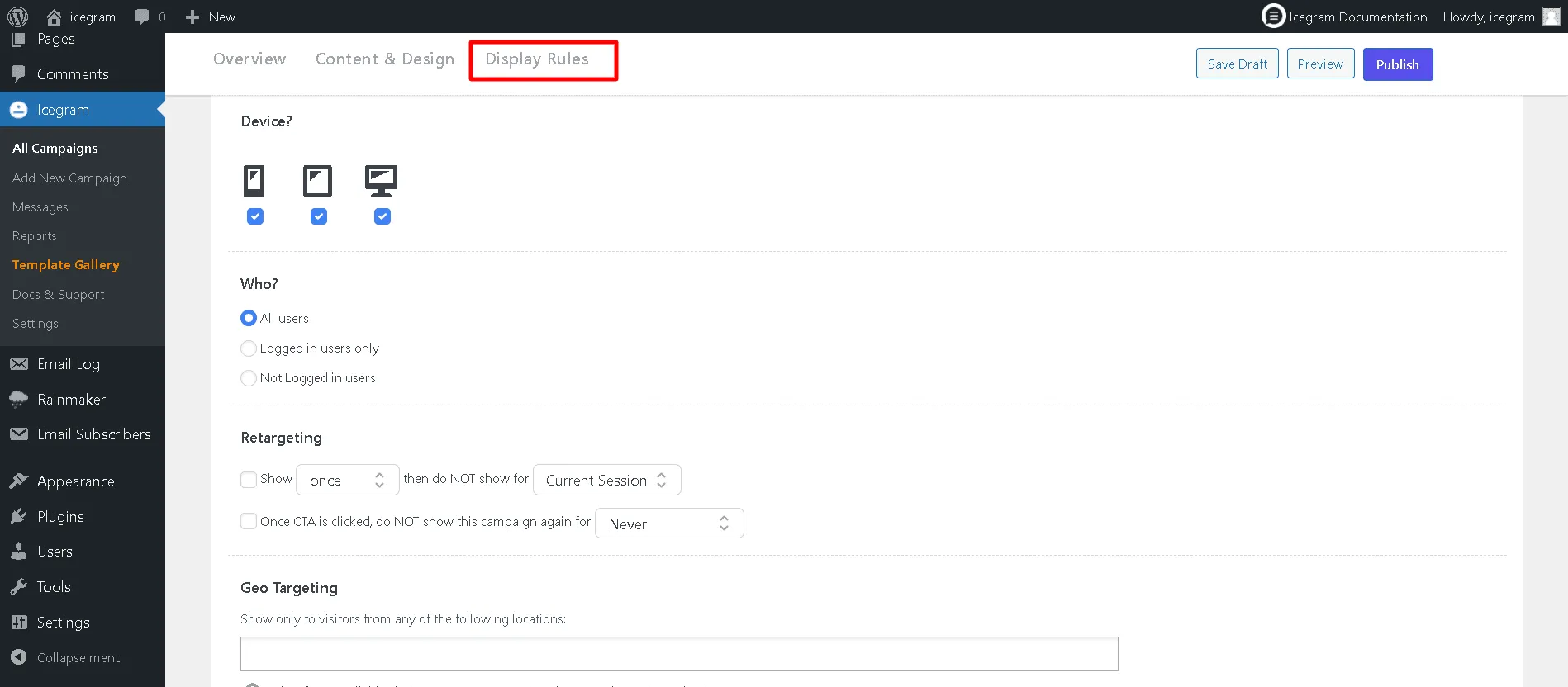
Step 10: Configure the display rules.
Step 11: Save Draft / Publish the campaign.