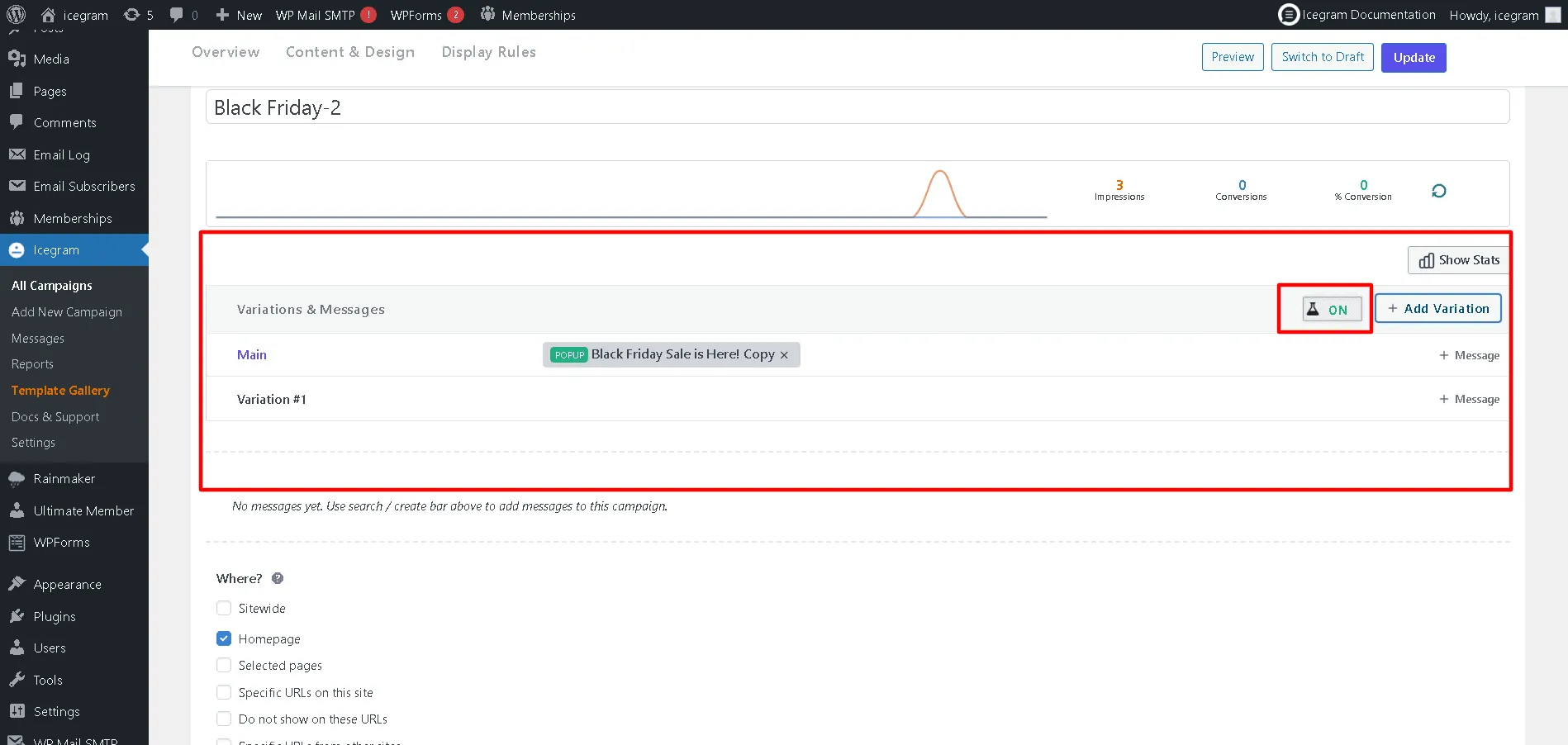
How to create a Split Testing (A/B Testing) campaign in Icegram Engage
Split testing campaign or (A/B Testing) can be done using Icegram Engage Max plan. If you are using this plan, read the complete post for tutorials.
To create Split Testing campaigns in Icegram Engage, follow these steps:
Step 1: Install and activate Icegram Engage Max.
Step 2: Create a new Icegram Engage campaign / Edit a previously created campaign.
Step 3: Create a new variation of the current campaign.
Step 4: Change the elements that you want to split test.
Step 5: Update the campaign.
Step 6: With this, the experiment will turn on. This feature will continue Split testing campaigns until there's a clear winner with better conversion rates.