
How to enable captcha in your Icegram Express form
Protect your Icegram Express subscription forms from bots and spam signups by enabling Google reCAPTCHA.
What is Captcha?
CAPTCHA or Completely Automated Public Turing test to Tell Computers and Humans Apart is a technique to distinguish between humans and computers. CAPTCHA is mainly used as a security check to ensure only human users can pass through. Generally, computers or bots are not capable of solving a captcha.
Steps to enable Captcha are:
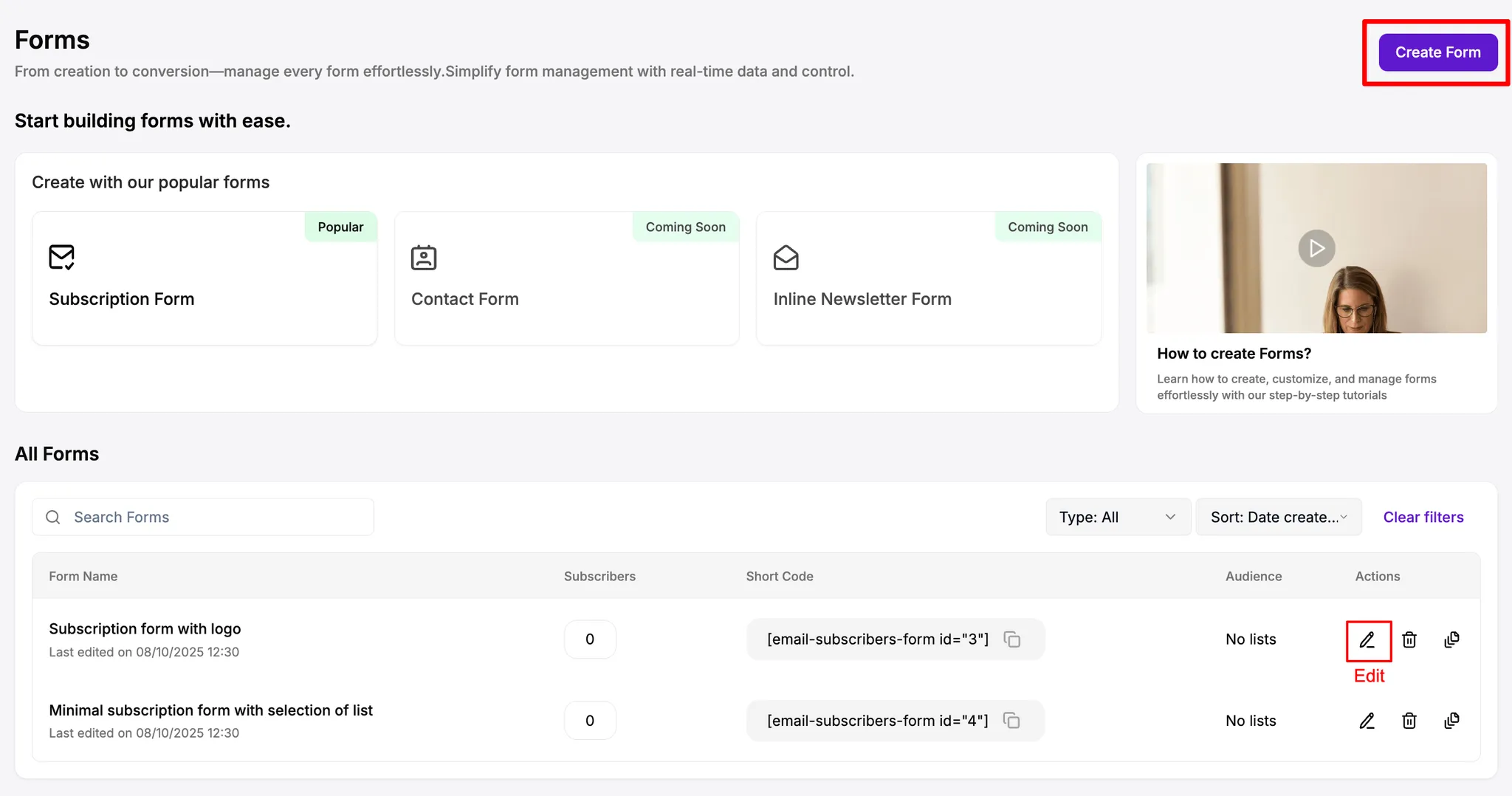
- Navigate to
Icegram Express>Formsin the WordPress Admin panel - Open an existing form by clicking on
Editor create a new form
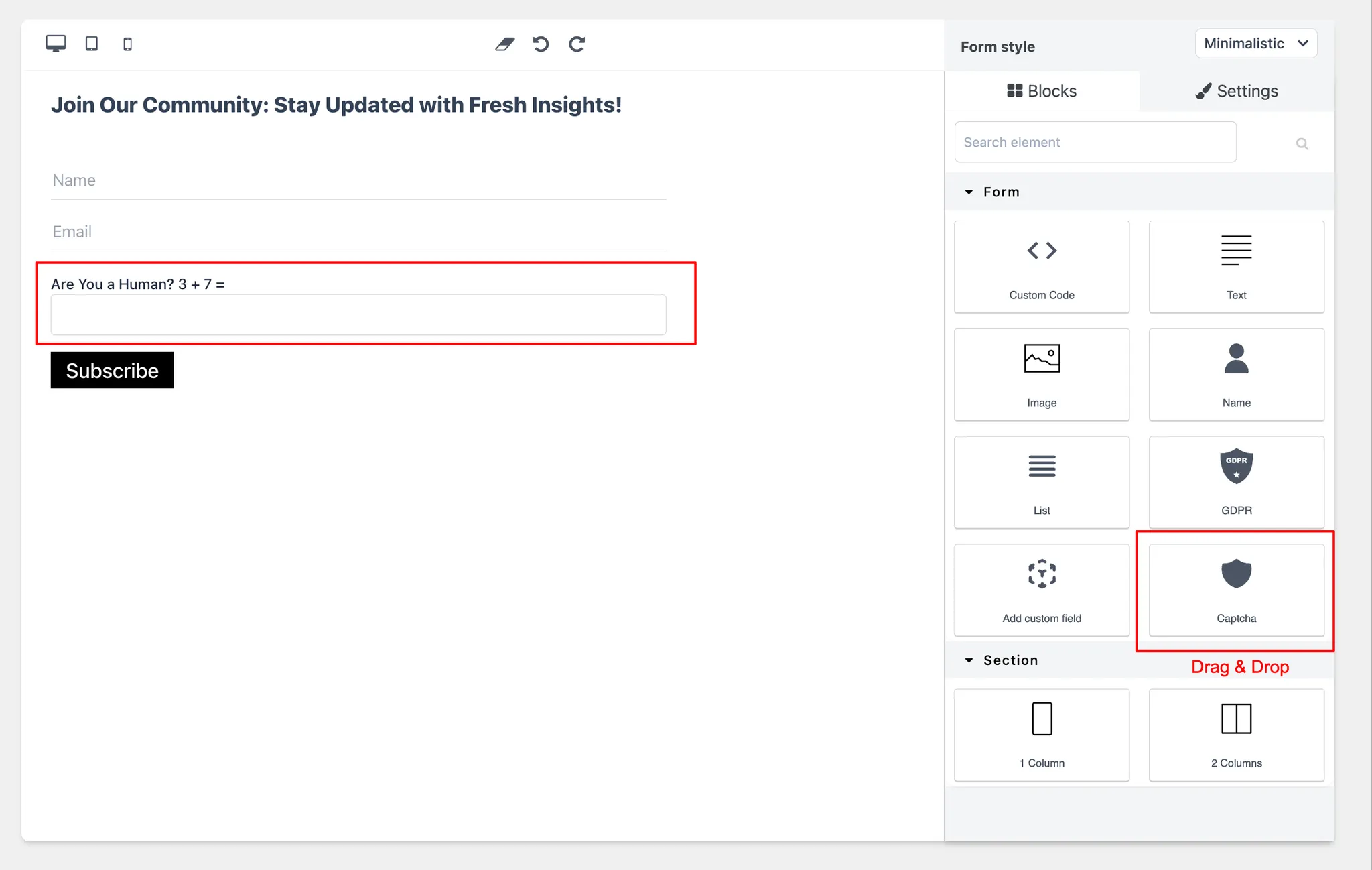
- Drag the
Captcha blockonto the form, then change the font and style however you like.
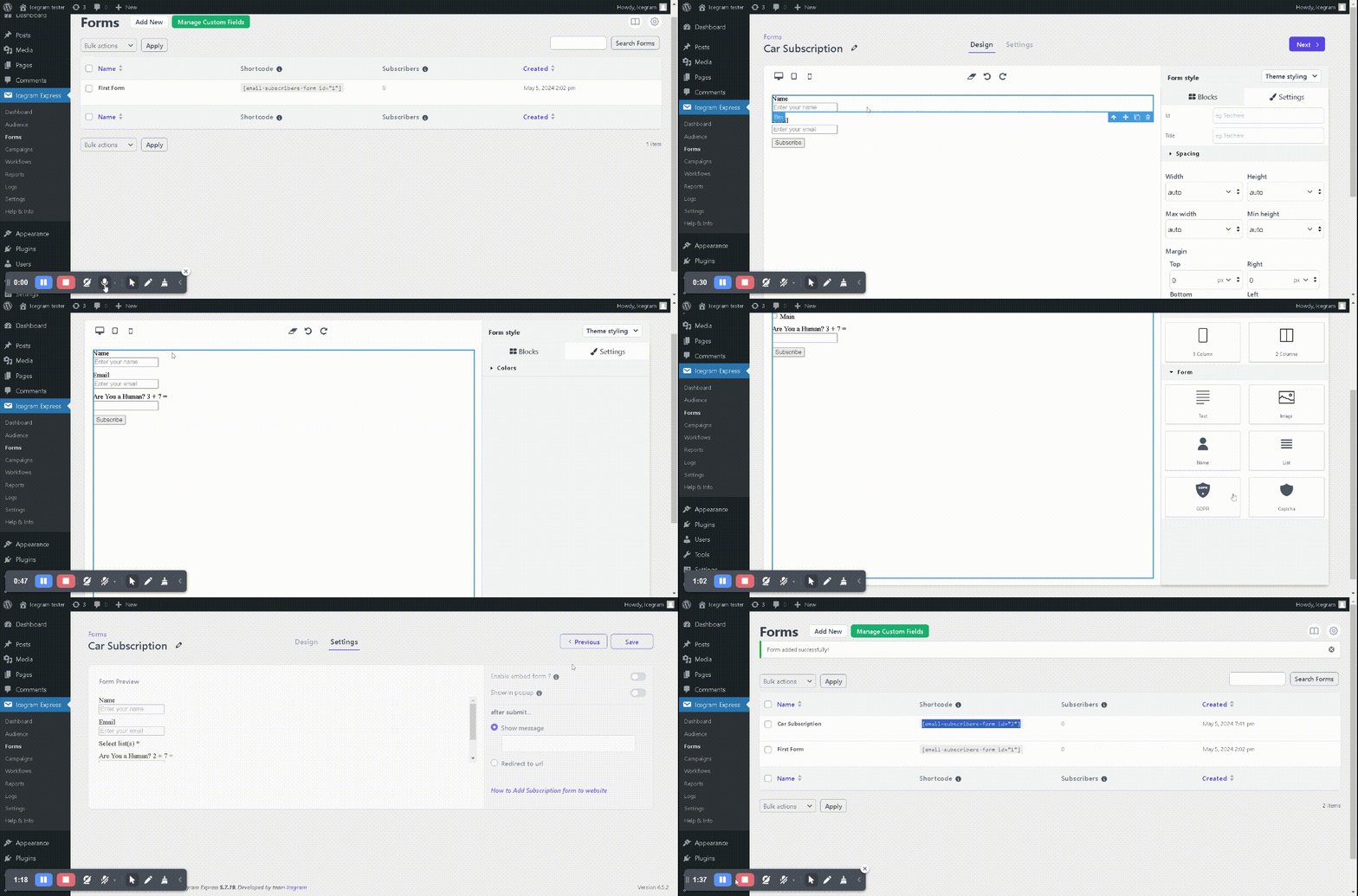
- Click on Next and Save.
Voilà! Captcha is enabled on your subscription form and you will see a decrease in spam registrations. You can further secure the subscription form under Icegram Express > Security.