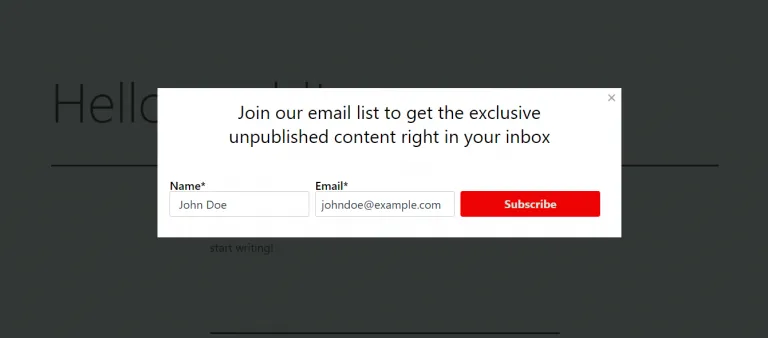
How to add an Icegram Express form into a popup?
Integrate a simple subscription form into your popup
Steps to set up popup subscription box into the Icegram Express
-
Navigate: **Icegram Express > Forms >
Editor create a new form -
Go to form settings in the header. On the right side, enable the
Show in popuptoggle button.
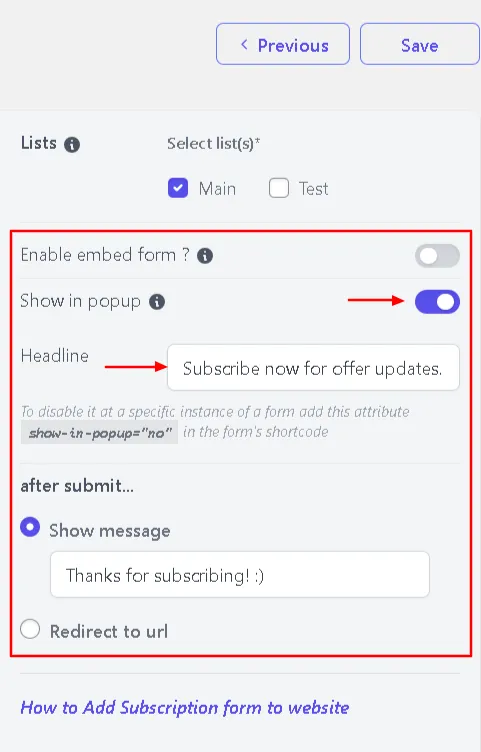
-
Fill out the popup Heading into the heading placeholder.
-
Save Changes.
-
To display your form, copy the form shortcode and paste it into the shortcode placeholder on your site.
Following these steps, you can display a popup form on your site, but if you want to disable the popup form to some pages or blogs, or to add a normal subscription box, then add the attribute show in popup=""no"" into the shortcode text. Also, for widgets, the form is displayed as it is.
Example: [email-subscribers-form id=""1"" show in popup=""no""]
This is how it will be displayed: