
How to Create and Send Post Notification Emails when new posts are published
Set up automated email alerts that notify subscribers whenever a new blog post is published on your WordPress site.
Using Icegram Express, you can send post notification emails to your subscribers when new blog posts are published. This automation not only saves tons of your time but also makes the entire process stress free and simple.
First, it is recommended that you create a template for post notifications. Here is the link how to Create Template
- Then navigate to
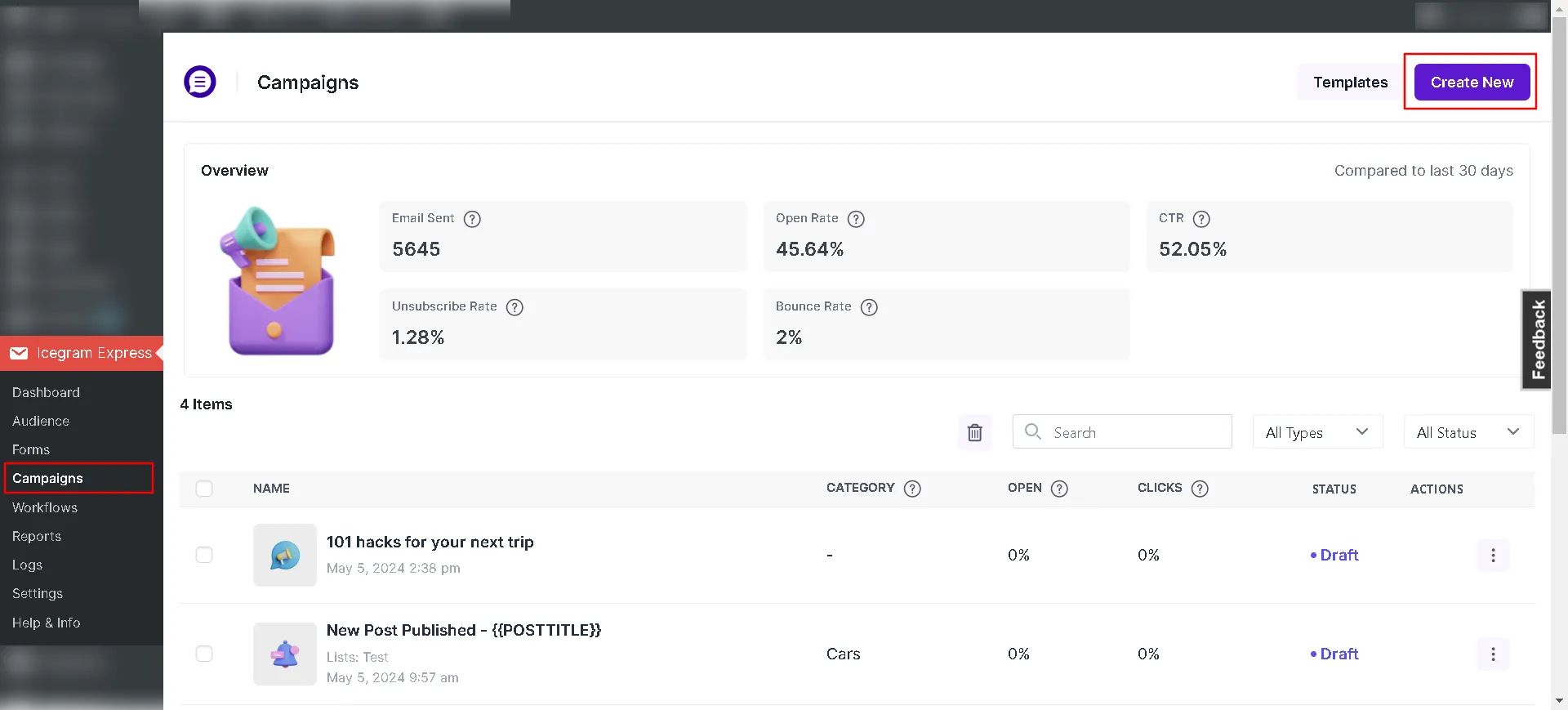
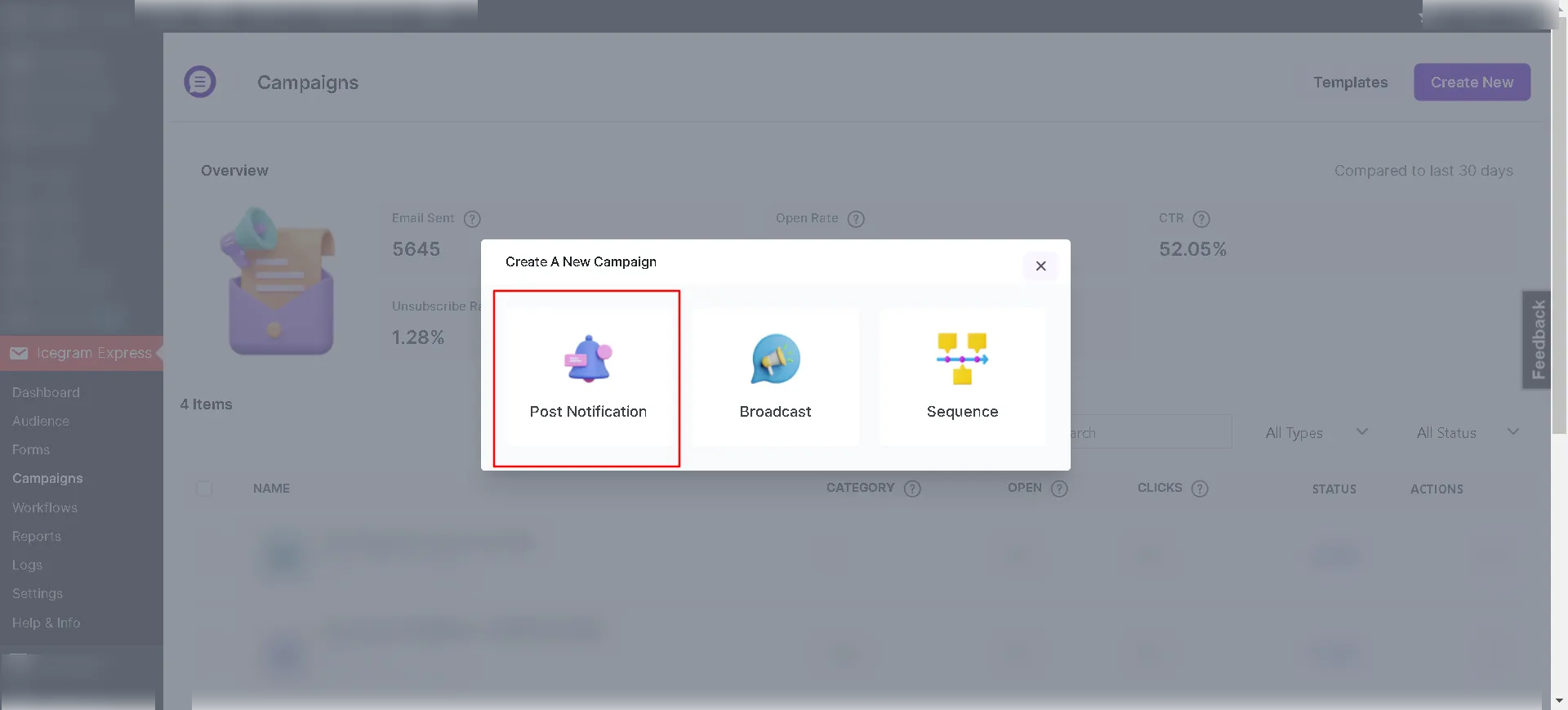
Icegram Express→Campaignsand click onCreate Post Notification.
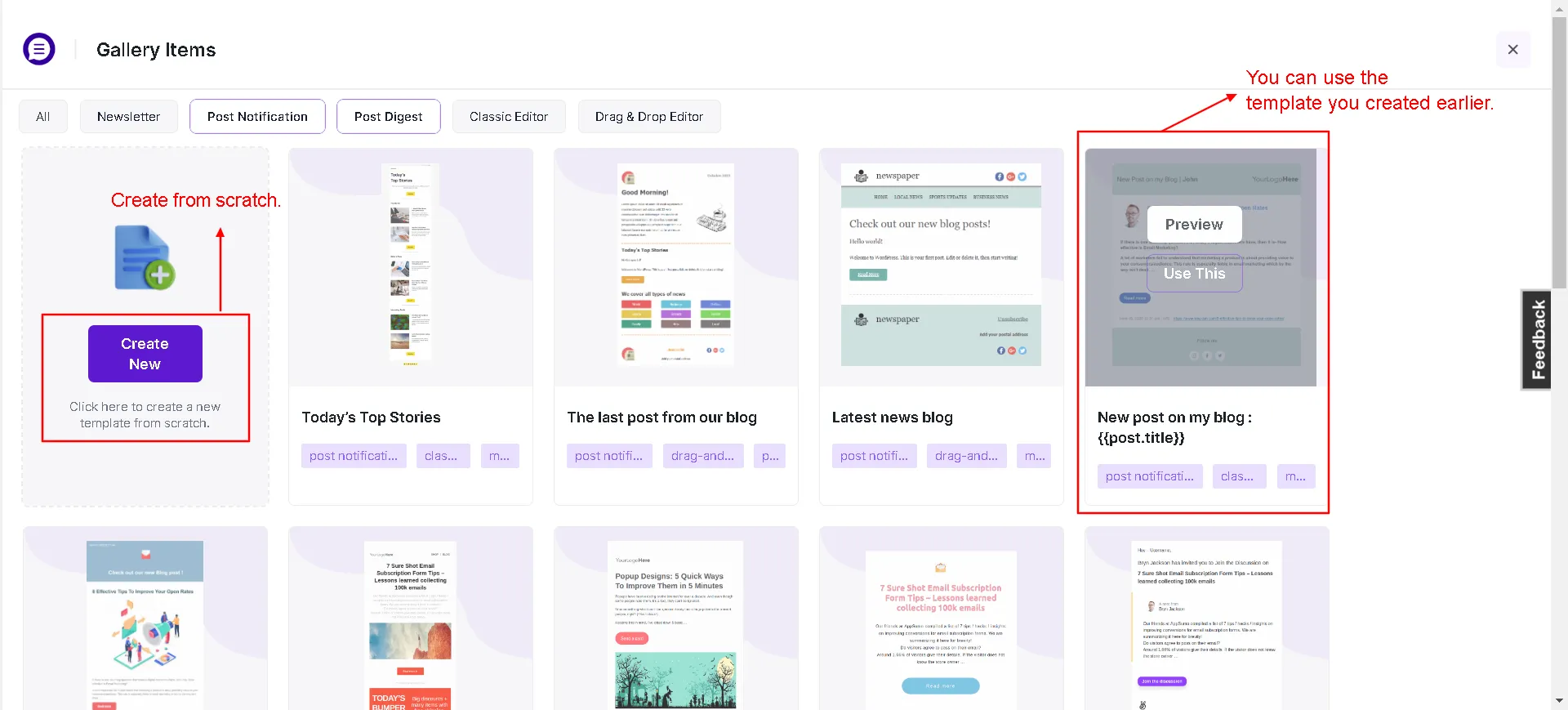
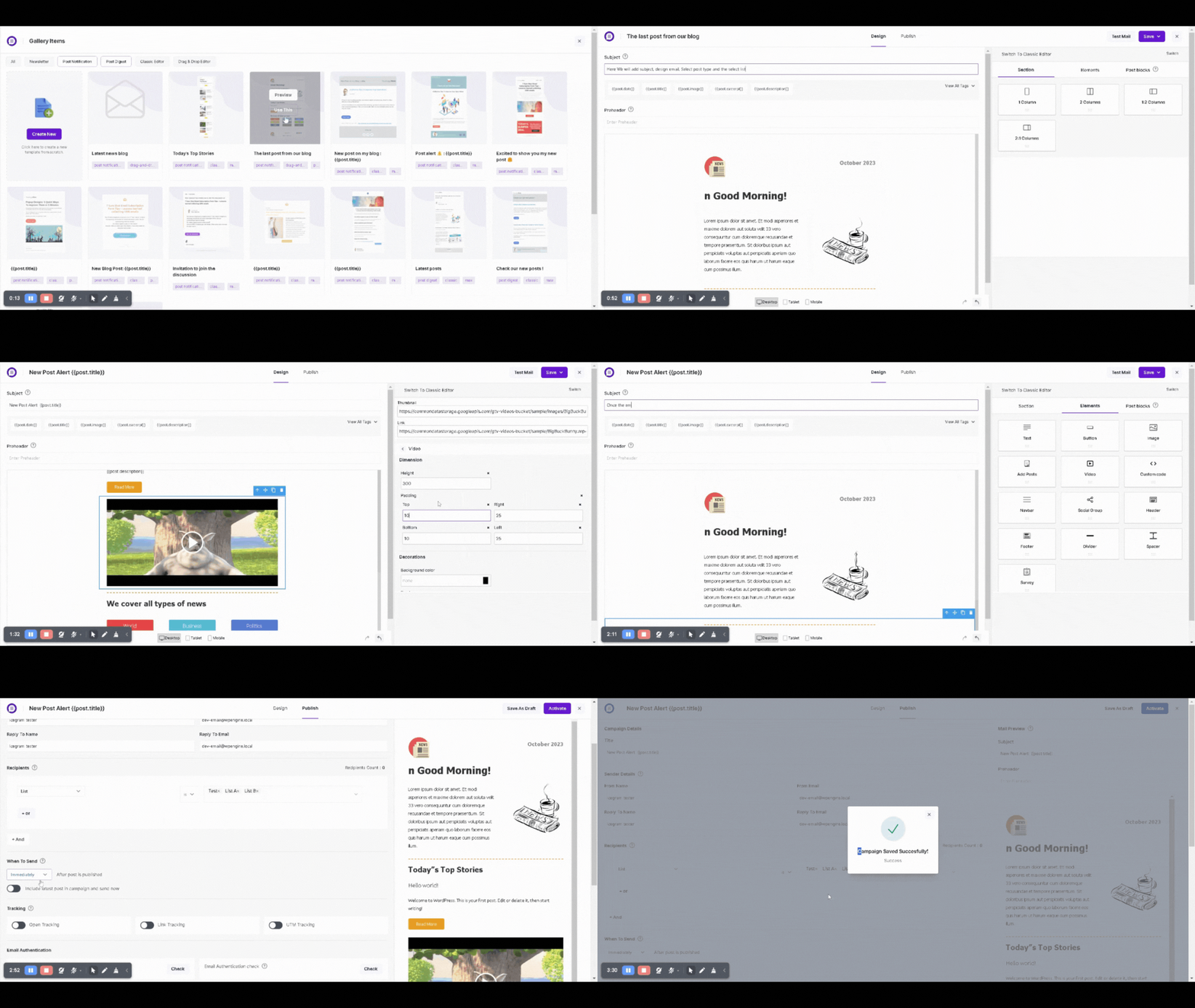
- Select the Existing Campaign **template or Create Template it from Scratch.
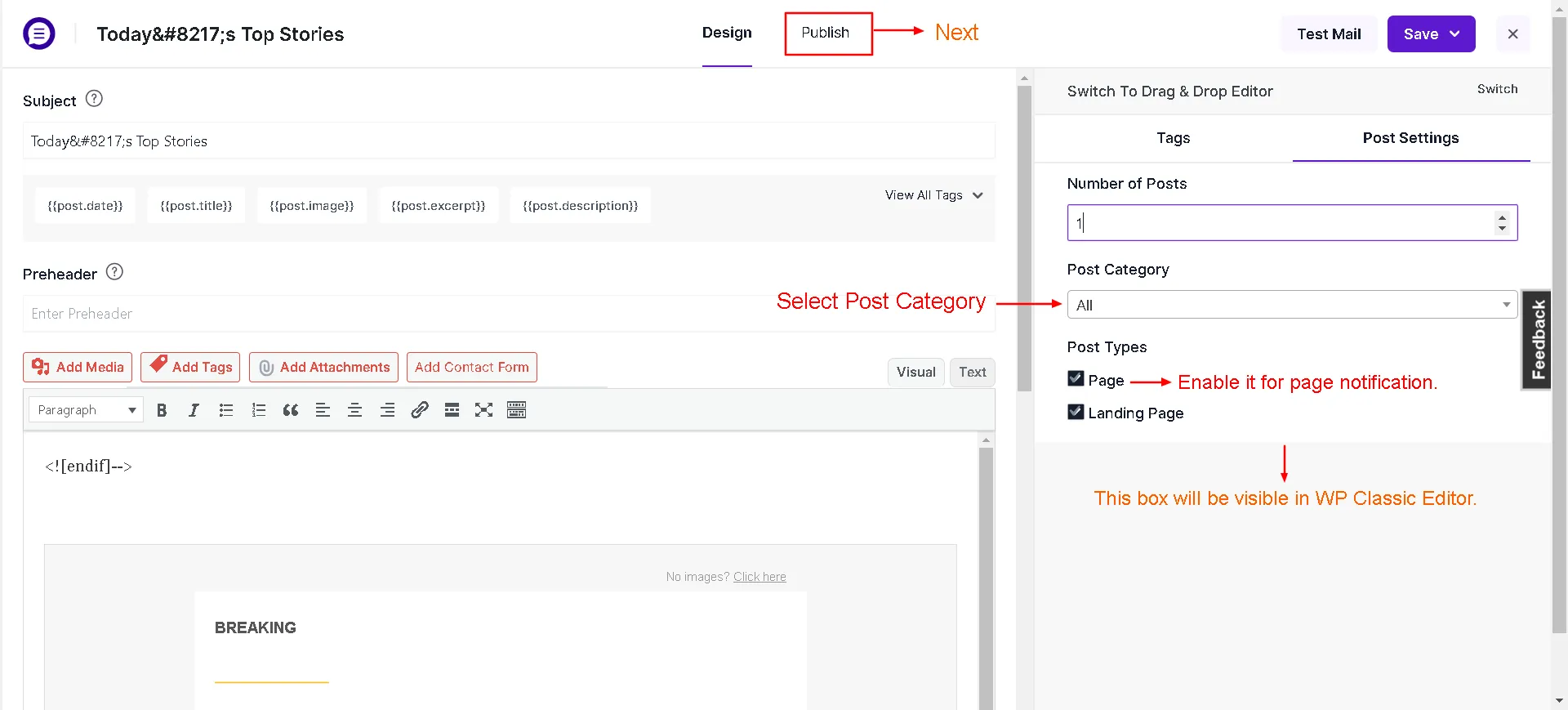
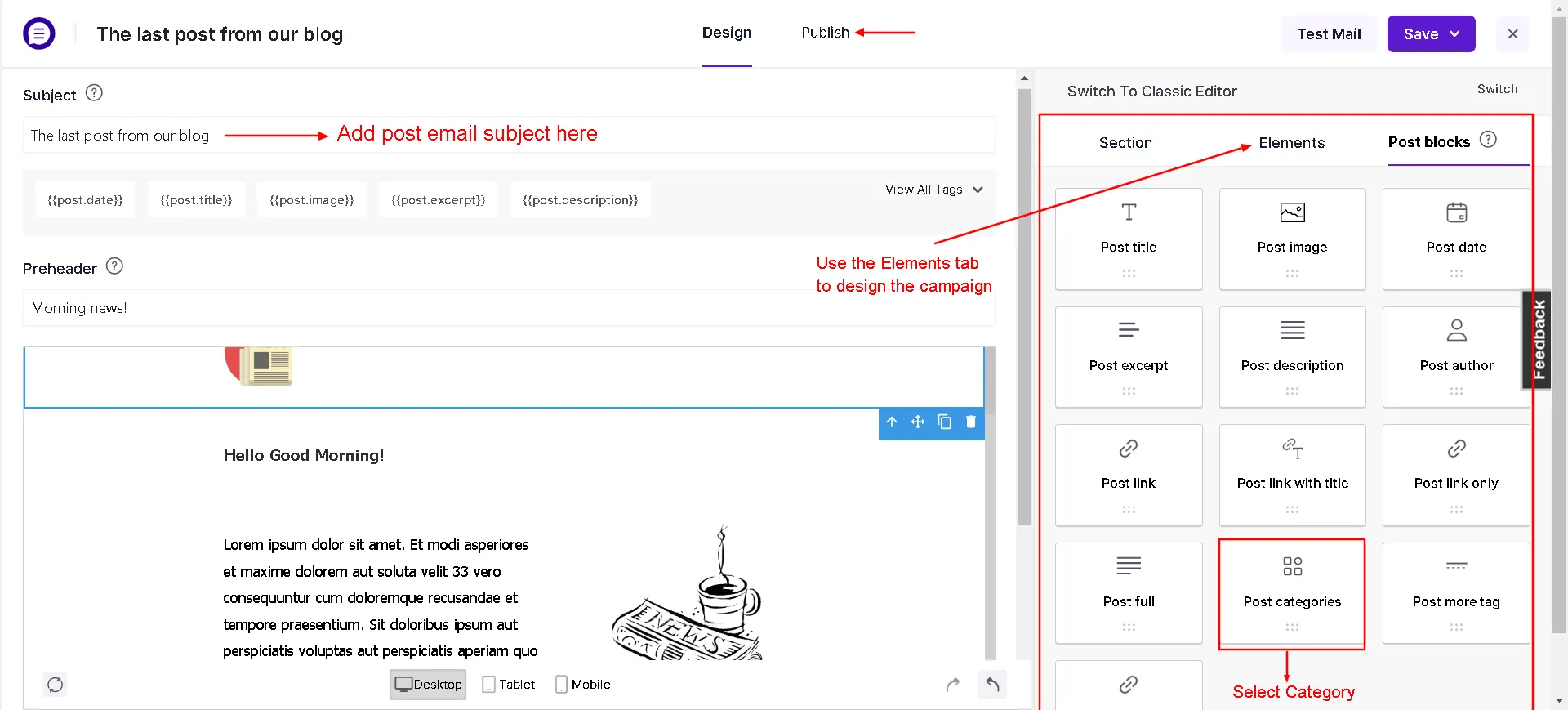
- Add the email subject, create content, add the blog post category you want the email to be sent for, and custom post type if required. Preview it on the right side of the screen.
Using WP Classic Editor:
Using Drag & Drop Builder:
- Add
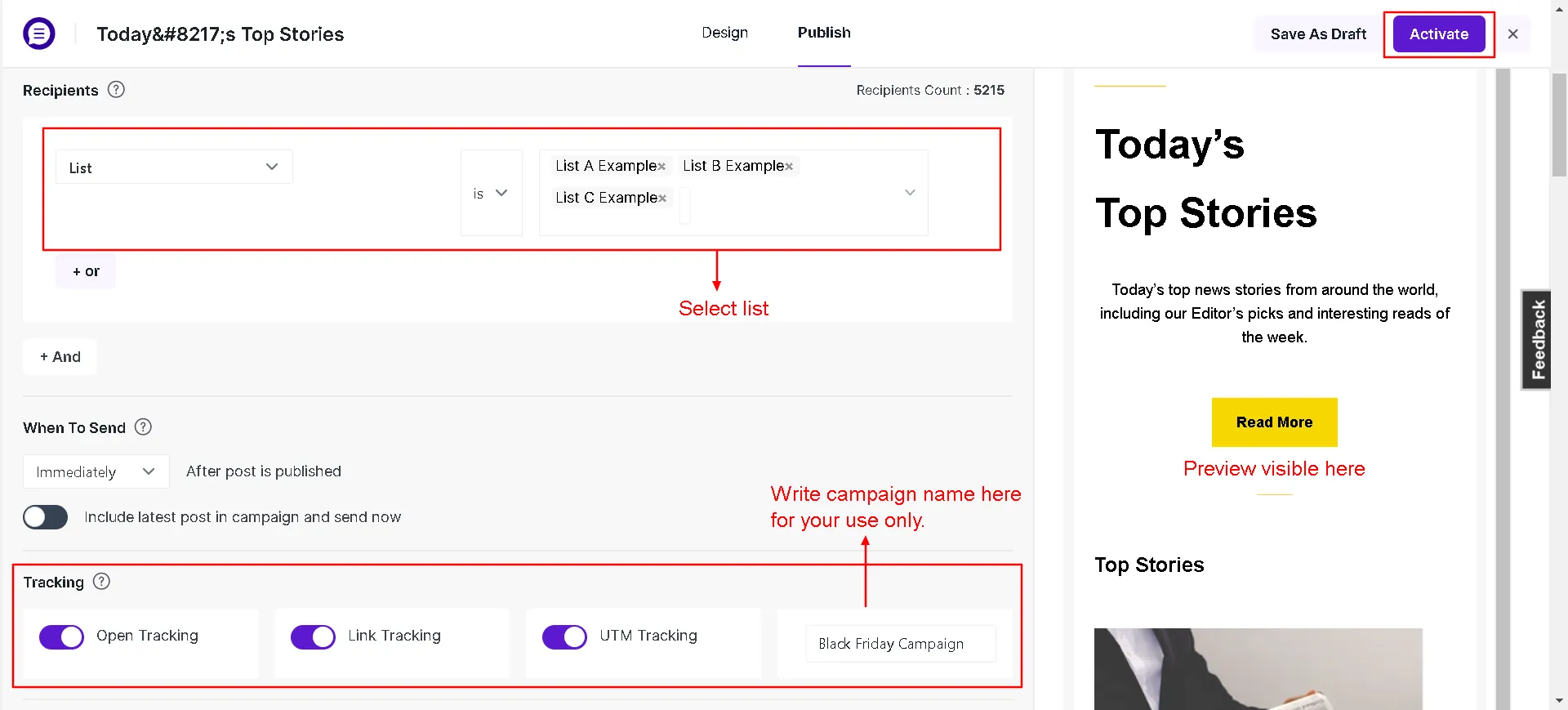
Campaign nameand selectList.
-
Pick an option to When to send.
-
Check the spam score and update the message accordingly
-
Enable/disable tracking.
-
If all configurations are properly set, you can save or
Activatethe campaign.
Now whenever a new blog is published on your website (and if that blog post category is checked under notification), your subscribers will be notified about it.
Keywords The email templates for sending automatic post notifications can contain keywords. Example: Email Subject - New post published {{POSTTITLE}}. Click here to check all the available keywords