
How to insert Icegram Collect form into Icegram Engage Message
Embed an Icegram Collect form directly into an Icegram Engage popup, action bar, or messenger campaign.
To use Icegram Collect Forms in Icegram Engage Message Campaigns, follow these steps:
Step 1: Create a new campaign / Edit previously created Icegram campaign.
Step 2: Fill in all the message details as per your requirements.
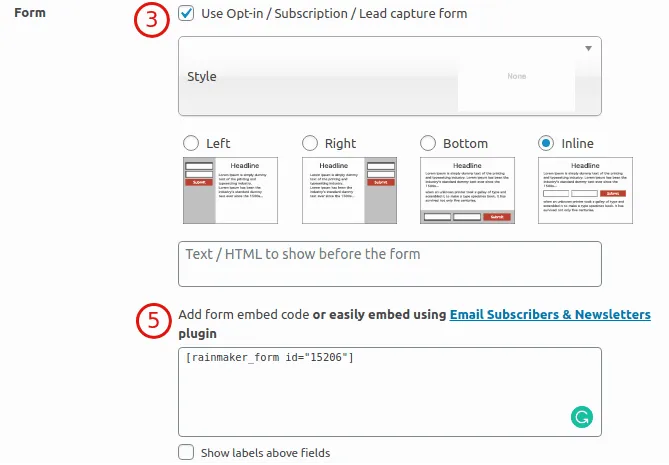
Step 3: In the Form section below Message Body textbox, check the box that says "Use Opt-in / Subscription / Lead capture form". This will open up additional settings.
Step 4: Choose the form style.
Step 5: Paste the shortcode of your Icegram Collect for in "Embed form" section.
Step 6: Publish / Update the campaign.