
How to Remove Close Button from Overlay in Icegram Engage
Hide or remove the close button from Icegram Engage overlay popups to require explicit user action.
To remove close button from overlay, follow these steps:
Step 1: Edit a campaign / create a new campaign and add a popup as message type.
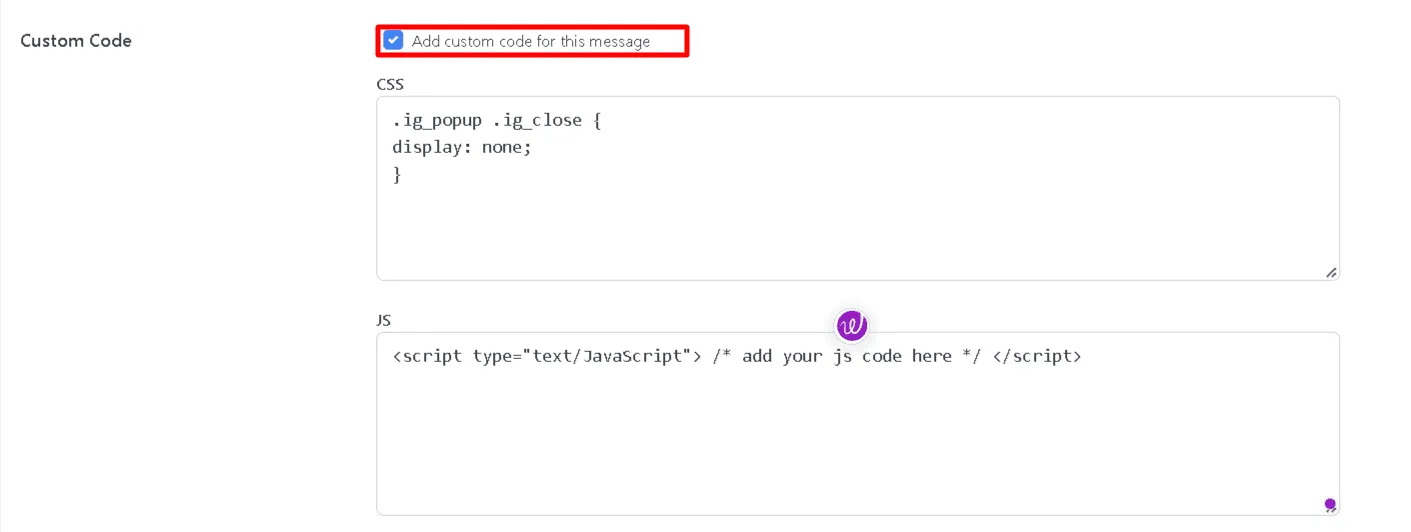
Step 2: Scroll down to the "Custom Code" option in Design & Create section, check the box that says "Add custom code for this message". This will open up two textboxes; the above one for CSS and below one for Javascript code.
Step 3: Enter this code into the CSS textbox:
.ig_popup .ig_close {
display: none;
}
Step 4: Publish / Update your campaign.